
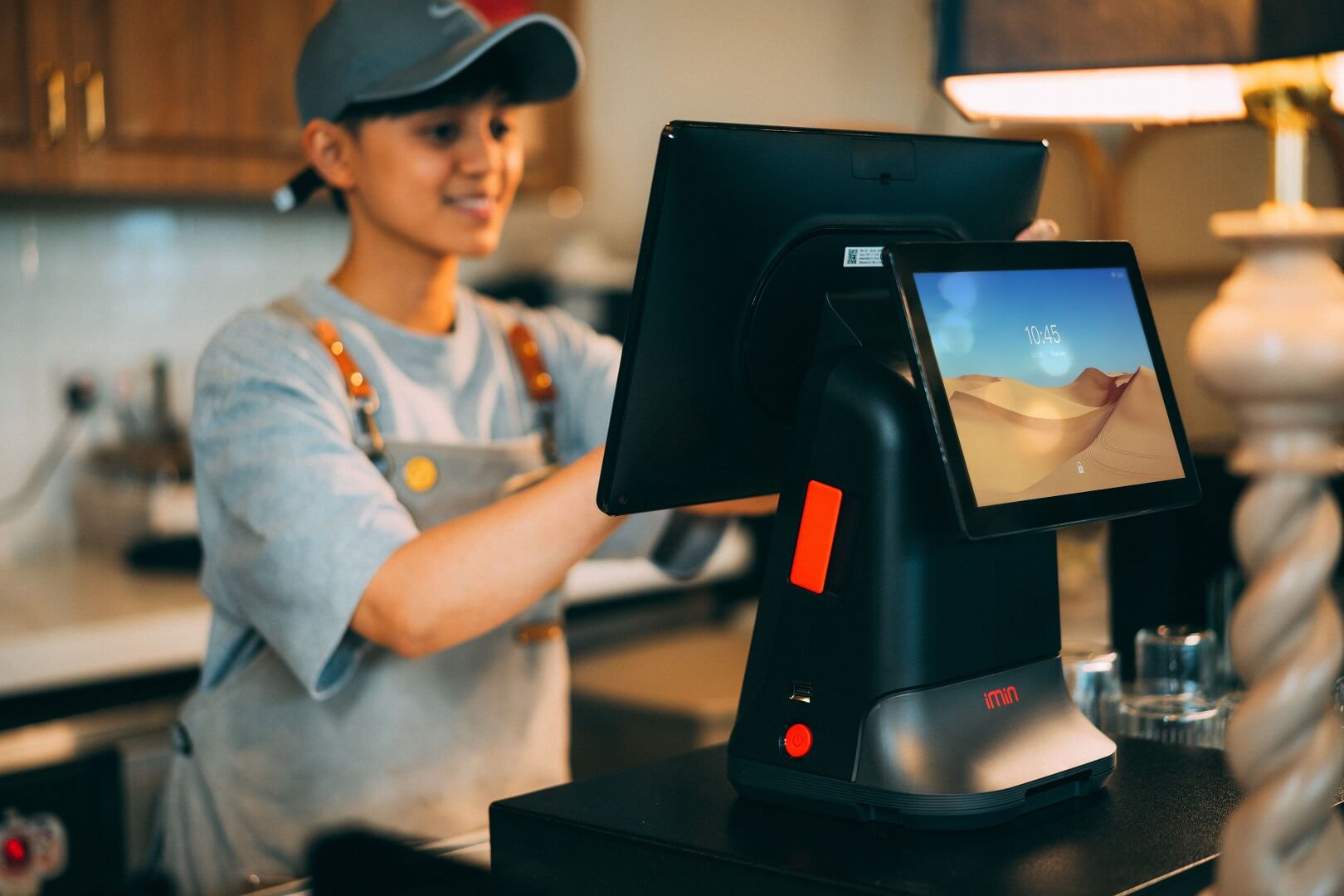
The best POS system for a small business in India is the one that bills correctly under GST, works at your counter's speed and reliability, tracks the stock you actually sell, and costs less over three years than the time and errors it saves. No single product wins for every shop. A grocery store that needs batch and expiry tracking, a boutique with sizes and colours, an electronics counter that needs serial numbers and a stall that sells at weekend markets have different priorities, and a shop that also sells online has one more requirement than the rest: its counter and its website must share one stock.
This guide gives you a way to choose rather than a ranking. It explains the different kinds of billing and POS software, matches priorities to business types, offers a 30-point checklist across billing and GST, inventory, payments, operations and platform, explains how to test offline mode and what to demand in a demo, builds a three-year cost comparison with a warning about how commission-based pricing can behave at the counter, shows a weighted scorecard with a worked example, and ends with a pilot plan and migration steps. Where we mention other products, we quote only what their own pages state, as read on 3 October 2026, and we do not rank them.
Quick answer: Start by writing down what your counter must do on a busy day: GST invoices, barcode scanning, UPI and cash, stock tracking, staff roles and, if you sell online, one shared stock. Shortlist two or three products that cover those, run the same fifteen tasks in each demo, test what happens when the internet or power fails, compare three-year cost including hardware and your own time, and pilot the winner for two weeks before you commit.
What kind of system do you actually need?
The words billing software, POS, inventory software and ERP are used loosely. They overlap, but they start from different centres of gravity.
| Type | Starts from | Typically good at | Typically weaker at |
|---|---|---|---|
| GST billing and accounting app | Invoices and books | GST invoices, parties and ledgers, simple stock, reports for the accountant | Fast counter flows, multi-counter control, online stores |
| Retail POS suite | The counter | Quick billing, barcodes, split payments, multiple counters or locations, staff controls | Accounting depth; online store unless integrated |
| ERP or inventory suite | Stock, purchasing and finance | Complex inventory, purchasing, multi-warehouse operations | Cost and complexity for a small shop |
| Ecommerce platform with built-in POS | The online store | One catalogue and one stock for shop and website | Counter-specific depth, depending on the product |
| Vertical POS (restaurants, salons, pharmacies) | One industry's workflow | Tables, appointments, batches and expiry, regulatory needs | Anything outside that industry |
What a few well-known products say about themselves
The statements below are marketing claims taken from each company's own page on 3 October 2026. We have not tested these products, and they may have changed.
- Vyapar describes itself as GST billing, accounting, inventory and invoicing software, says it can be used in both online and offline modes, mentions a barcode scanner to speed up billing, inventory tracking by batch number and expiry date, a free Android app and a premium yearly subscription for some features (Vyapar).
- Zoho POS says you can sell at the counter, through self-service kiosks or with mobile checkout, accept cash, cards and split payments, manage multiple locations centrally, set permissions by role, and continue selling if your internet connection is disrupted (Zoho POS). Its page, as we read it, does not mention GST invoicing or barcode scanning, so ask.
- Shopify POS states that it can be used in nearly every country, and recommends Shopify Payments and integrated Shopify POS hardware for the full benefits, which it says are available only in select regions; its India page does not give India-specific features, hardware, offline mode or GST details (Shopify POS).
Treat these as starting points for questions, not as answers. Each of them, and ShopMate, will need to prove the checklist items below in a demo.
Match your business type to the priorities
| Business | Top priorities |
|---|---|
| Grocery and general store | Fast billing, barcode and weighing scale support, batch and expiry tracking, credit accounts for regular customers, thermal receipts |
| Apparel and footwear boutique | Size and colour variants, labels, exchanges, discounts and coupons, seasonal markdowns |
| Electronics and mobile accessories | Serial or IMEI tracking, warranty records, GST invoices for business buyers, high-value payment handling |
| Pharmacy and health products | Batch and expiry, regulatory records, specialised compliance; consider a vertical product and confirm requirements with a professional |
| Restaurant and cafe | Table management, kitchen orders, split bills; usually a vertical POS |
| Salon and services | Appointments, staff commissions, packages; usually a vertical product |
| Stall, pop-up and event seller | Mobile use, UPI QR, quick set-up, session-based cash counting, connectivity resilience |
| Wholesale counter | Bulk pricing, party credit and outstanding balances, B2B GST invoices |
| Shop that also sells online | One catalogue and one stock pool across channels, shared customers, one report |
If your business falls into one of the vertical categories, a general-purpose POS may leave you doing manual workarounds all day. Check how many of your daily tasks the product handles without a workaround.
The 30-point checklist
Billing and GST
- 1. Tax invoice contents. Does the invoice carry every particular in Rule 46 of the CGST Rules, including your name, address and GSTIN, a unique serial number, the date, HSN code, taxable value, tax rate and amount, and place of supply where required? Read the rule on the CBIC page and compare it with a sample.
- 2. Invoice numbering. Are numbers consecutive, at most sixteen characters and unique for the financial year, with a separate series per counter or channel if you need one? Our guide to automated GST billing explains the design.
- 3. HSN and rates on each product, reused automatically on every bill.
- 4. CGST, SGST and IGST handling for counter and delivered sales.
- 5. Business buyers. Can staff capture a customer's GSTIN and business name at the till?
- 6. Returns and credit notes that refer to the original invoice.
- 7. Bill of supply for supplies where tax is not charged, if that applies to you.
- 8. Receipt formats. Thermal for speed and A4 for larger invoices.
Stock and catalogue
- 9. Barcode scanning and label printing. Does it read the barcodes on your goods and print labels for your own?
- 10. Variants. Size, colour and other options with their own stock and price.
- 11. Batch, expiry and serial tracking where your products need it.
- 12. Stock accuracy tools. Stock counts, adjustments with reasons and a movement history.
- 13. Low-stock alerts and reorder support, with purchase orders and vendors if you buy regularly.
- 14. Stock transfers or multiple locations, if you have more than one shop or stockroom.
Payments and money
- 15. Payment methods. Cash, UPI, cards and the ability to take payment from a wallet or pay later.
- 16. UPI QR for the exact amount, shown on screen or on the bill.
- 17. Split payments, for example part cash and part UPI.
- 18. Customer credit accounts (khata), if you sell on credit, with outstanding balances and reminders.
- 19. Cash control. Opening and closing cash by session or shift, with a difference report.
Operations
- 20. Speed. How many taps to bill a typical basket of five items?
- 21. Staff roles and permissions. Can you stop counter staff from changing prices or deleting bills?
- 22. Multiple counters or devices running at once.
- 23. Reports. Daily sales, stock, margin, staff performance and exports for your accountant.
- 24. Offline behaviour. What happens when the internet or power fails? See the next section.
- 25. Language and ease of training. Can new staff learn it in an afternoon, in a language they are comfortable with?
Platform and vendor
- 26. Online store integration. One catalogue, one stock and shared customers if you sell online.
- 27. Data export. Can you take your products, customers and sales history with you?
- 28. Support. Hours, channels and who answers on a Saturday evening.
- 29. Security and backup. Where data is stored, how it is backed up and who can see it. India's Digital Personal Data Protection Act, 2023 requires reasonable security safeguards for personal data (DPDP Act, 2023, MeitY).
- 30. Price and contract. What exactly is charged, per counter, per month or per sale, and what is the commitment?
That is thirty items. You will not need all of them, so mark each as essential, useful or irrelevant for your shop before you look at any product.
Offline mode: test it, do not trust the brochure
India has power cuts and patchy connectivity, and a counter that cannot bill is a counter that loses customers. Products handle this in three ways:
| Approach | How it behaves | What to check |
|---|---|---|
| Online only (web-based) | Needs a connection for every sale | Backup internet, a paper fallback and a plan to enter bills afterwards |
| Offline-capable | Keeps selling from a local store of data and syncs later | How stock and numbering are handled while offline; what happens if two devices sell the same item offline |
| Local desktop software | Runs on one machine without internet | Backups, multi-device sync and online store integration |
Some vendors state that their product works in offline mode, as Vyapar and Zoho POS do on their pages, but the details differ, so run this test during your trial:
- Create ten products and bill a few sales normally.
- Disconnect the device from the internet.
- Try to scan, bill, take a UPI payment, print a receipt, open and close a session and process a return.
- Note what fails, what works and what looks different.
- Reconnect and check that every offline sale appears once, with the right invoice number and the right stock.
If you also sell online, ask specifically how stock is protected against double-selling during an offline period.
Hardware and set-up
| Item | What to check |
|---|---|
| Counter device | PC, laptop, tablet or phone supported by the product; screen size for your basket sizes |
| Barcode scanner | USB or Bluetooth scanners that behave like keyboards are the most compatible; confirm with the vendor |
| Receipt printer | An 80 mm thermal printer is standard; check that the product prints to your model |
| Label printer | For product labels; sheet printing on A4 is the cheapest start |
| Cash drawer | Optional; confirm it opens from the software if you want that |
| Weighing scale | Needed for loose goods; confirm integration |
| Card terminal | Often separate from the POS; ask whether amounts are entered automatically or by hand |
| Power backup and internet backup | A small UPS and a mobile hotspot protect the counter |
Prefer standard hardware that you can replace anywhere over proprietary devices that tie you to one vendor.
The real cost over three years
A subscription price is only a slice of the cost. Include hardware, consumables such as receipt rolls and labels, set-up and training time, support, the time your staff or accountant spends reconciling two systems, and the cost of switching later.
The figures below are assumed. A shop has ₹4,00,000 of monthly counter sales and ₹1,00,000 of monthly online sales. Compare three set-ups on running cost per month, leaving hardware aside because it is similar in each:
| Cost line | A: Separate POS plus separate online plan | B1: Integrated platform, commission on online sales only | B2: Integrated platform, commission on counter and online sales |
|---|---|---|---|
| POS subscription | ₹1,000 | included | included |
| Online store plan | ₹3,000 | included | included |
| Commission at 5% | none | 5% × ₹1,00,000 = ₹5,000 | 5% × ₹5,00,000 = ₹25,000 |
| Reconciling two systems | 15 hours × ₹300 = ₹4,500 | 3 hours × ₹300 = ₹900 | ₹900 |
| Monthly total | ₹8,500 | ₹5,900 | ₹25,900 |
| Three-year total (36 months) | ₹3,06,000 | ₹2,12,400 | ₹9,32,400 |
The lesson is the commission base. If the percentage applies only to online sales, the integrated option can cost less than running two separate products. If it applies to counter sales as well, a shop with high counter volume can pay far more than a fixed monthly POS subscription. In this example, the integrated option with commission on all sales beats the separate set-up only when total monthly sales are below about ₹1,52,000, which is (₹8,500 − ₹900) ÷ 0.05. This calculation applies to any platform that charges a percentage, and it is why you must ask any vendor exactly what its percentage applies to, and compare a quote at your own sales levels. Our guide to commission versus monthly plans covers the maths in more depth.
A weighted scorecard
Score each shortlisted product against the items that matter to you. Give each criterion a weight from 1 to 5, score each product from 0 to 5 after your demo and trial, multiply and add. The example below uses assumed weights and scores for three imaginary products.
| Criterion | Weight | Product X | Product Y | Product Z |
|---|---|---|---|---|
| GST invoicing quality | 5 | 4 | 5 | 3 |
| Offline behaviour | 4 | 3 | 5 | 4 |
| Inventory features | 4 | 5 | 3 | 4 |
| Online store integration | 3 | 2 | 4 | 5 |
| Three-year cost | 4 | 3 | 4 | 2 |
| Support | 3 | 4 | 3 | 5 |
| Ease of use at the counter | 4 | 5 | 3 | 4 |
| Weighted total (maximum 135) | 27 | 102 (75.6%) | 106 (78.5%) | 101 (74.8%) |
The arithmetic for Product X is 5×4 plus 4×3 plus 4×5 plus 3×2 plus 4×3 plus 3×4 plus 4×5, which is 20 + 12 + 20 + 6 + 12 + 12 + 20 = 102, out of a maximum of 27 × 5 = 135. The totals in this example are within a few points of one another, and that is typical: when scores are this close, a scorecard cannot decide for you. Use it to narrow the field, then settle the choice with a two-week pilot and the weakest scoring item for each product, because the weak spot is the one you will live with.
Fifteen tasks to perform in every demo
Ask the vendor to do these live, with your own sample products, rather than showing slides:
- Scan three items and complete a cash sale, then print the receipt.
- Bill a sale with a discount and a coupon, and show the GST on the invoice.
- Take a UPI payment with a QR code for the exact amount.
- Take a split payment, part cash and part UPI.
- Create a B2B invoice with a customer's GSTIN and business name.
- Bill an inter-state sale, if you deliver, and show IGST.
- Process a return and an exchange, and show the credit note.
- Show how invoice numbers are generated and how they meet the sixteen-character rule.
- Print barcode labels for a new product.
- Show stock after each of the above, and the movement history.
- Close the day, with cash counted against expected, and export the report.
- Restrict a staff user from editing prices and show the effect.
- Disconnect the internet and repeat a sale.
- If you sell online, place an online order for the last unit and show what the counter sees.
- Export your products, customers and sales history.
Controls that protect your counter
A POS is also a control system. Most losses at small counters come from a handful of habits, and the software you choose should make each one visible.
| Risk | How it happens | Control to look for |
|---|---|---|
| Unrecorded sales | A sale is taken in cash and never billed | Every sale requires a bill number; reconcile bills to cash at the end of each session |
| Price overrides | Staff reduce the price for friends or for personal gain | Restrict who can override prices, and keep a log of every override with the reason |
| Voids and deletions | A bill is cancelled after payment is pocketed | Voids need a manager permission and leave a record; invoices cannot be silently deleted |
| Discount abuse | Excess discounts are given without approval | Discount limits by role, and reports of discounts by staff member |
| Stock shrinkage | Items leave without a bill | Regular cycle counts, movement history and variance reports |
| Cash differences | Cash is miscounted or taken | Opening and closing cash by session, with the difference shown and signed off |
| Shared logins | One login is used by everyone | One user per person, so every action has a name |
Ask each vendor which of these controls exist, which are optional and which reports show them. A shop owner who reviews a short weekly report of overrides, voids and cash differences will usually spot problems early.
A daily routine at the counter
- Open. Switch on the device, printer and scanner, check the connection, and count the opening cash into the session.
- Check stock alerts. Look at low-stock items and move or reorder them before the rush.
- Sell. Scan, bill and take payment, giving the customer a receipt or digital invoice.
- Handle exceptions properly. Use the return or exchange function, not a manual workaround, so stock and tax stay right.
- Close. Count the cash, compare it with the system total, record the difference and close the session.
- Review. Read the day's report: sales by payment type, by staff member, discounts, voids and low stock.
- Back up and secure. Make sure data is backed up, lock the cash and log out.
The routine takes minutes once it is a habit, and it turns your POS from a billing machine into a daily check on the whole shop.
Credit sales and customer accounts
Many Indian shops sell on credit to regular customers or business buyers, a practice often called khata. If you do, the POS should record the sale to a customer account, show the outstanding balance at the counter, record part payments, and produce a statement. Ask whether credit limits can be set per customer and whether reminders can be sent. Keep a clear rule on who may approve credit, and review the oldest outstanding balances every week. Remember that credit sales are still sales for GST purposes, with an invoice issued when the law requires it, and that customer details you store are personal data under India's Digital Personal Data Protection Act, 2023. ShopMate supports bulk orders for wholesalers with credit limits and outstanding balances; ask the team how credit is handled for ordinary counter customers.
Receipts, digital invoices and customer messages
Customers increasingly prefer a digital invoice to a paper slip. If your POS can send an invoice by WhatsApp, SMS or email, set it up carefully. WhatsApp's Business Messaging Policy requires businesses to obtain opt-in permission before messaging people (WhatsApp Business Messaging Policy), so ask at the counter whether the customer wants their invoice on WhatsApp, record the answer and keep the number secure. Never add customers to marketing lists without a clear yes.
Getting ready for peak days
Festival weekends and sale days stress both people and systems. A week before a peak:
- Check that every product has a barcode that scans, and reprint damaged labels.
- Test every counter device, printer and scanner, and keep spares of the cheap parts such as cables and paper rolls.
- Add counters or devices if the system allows several at once, and assign roles so one person handles returns.
- Count the fast-moving items and reorder early, using the reorder points described in our guide to inventory sync.
- Check your internet and power backups, and brief staff on the fallback procedure.
- Agree the discount and return rules in advance, so staff do not improvise at the counter.
Red flags
- The vendor will not demonstrate with your sample data.
- GST invoices cannot be shown for a business buyer or an inter-state sale.
- Invoice numbers reset daily or exceed sixteen characters.
- There is no credit note for returns.
- Staff can edit or delete invoices after issue.
- Data export is unavailable or limited to reports.
- The price depends on a percentage whose base the vendor will not define.
- Support is available only by a form, with no response commitment.
- The contract locks you in for years before you have used it.
A two-week pilot
| Days | Action |
|---|---|
| 1 to 2 | Load 50 real products with barcodes, prices, HSN codes and stock. Set up two staff users with different permissions. Configure receipt formats. |
| 3 to 5 | Run the counter on the new system in parallel with your old process for part of the day. Compare totals and invoices each evening. |
| 6 to 8 | Test returns, exchanges, a B2B invoice, a UPI-only day and an offline period. Record every problem and the vendor's response time. |
| 9 to 11 | Run the whole counter on the new system. Do a stock count of ten items and compare with the record. |
| 12 to 14 | Export a month-style report for your accountant and ask them to review it. Fill in the scorecard, and decide. |
Moving over without losing data
- Clean your product list first. One row per variant, unique SKUs, correct HSN and rates.
- Import in stages. Products, then customers, then opening balances.
- Take a physical stock count and enter it as opening stock on a stated date. Our guide to offline-online inventory sync explains the method.
- Keep the old system read-only for the history you may need for tax queries.
- Train staff in short sessions on billing, returns and day-end, using real scenarios.
- Back up from day one, and check that you can restore.
When ShopMate fits, and when it does not
ShopMate's POS is part of its ecommerce platform. Its site lists walk-in order billing, online and offline inventory sync, cash, UPI and card payments, quick product search and barcode scan, staff roles, printed receipts and GST invoices, and daily sales summaries (ShopMate). In the product, merchants set up shops, pop-ups or event stalls, open selling sessions with opening and closing cash, scan barcodes or QR codes, print labels, take cash and UPI payments, apply coupons, capture and link customers, print thermal and A4 receipts and see session reports, analytics and a profit-and-loss view across channels. Our guides to retail POS and ecommerce integration and inventory sync describe these in detail.
It tends to fit if:
- you sell online as well as in person and want one catalogue, one stock and one set of reports;
- you run a shop, stall or pop-up and want session-based cash counting and staff roles;
- you want barcode and QR label printing and GST invoices in the same system as your website;
- you prefer one platform with guided onboarding over assembling several tools.
It tends not to fit if:
- you only need counter billing and accounting with no online store, where a dedicated billing app may be simpler and cheaper;
- you need a POS that keeps selling offline, because ShopMate's POS runs in a browser and needs an internet connection, and we did not find an offline mode;
- you keep separate stock quantities at several shop locations, because stock is one pool per variant;
- you need restaurant, salon or pharmacy-specific features;
- your counter sales are very high and the commission, if it applies to them, would exceed a fixed subscription, as the cost example above shows.
Ask the team in your demo to run the fifteen tasks above, to explain how invoice numbers and supplier details appear on counter invoices, how split payments, returns and credit notes work, and exactly how the commission applies to counter and bulk orders. ShopMate's pricing is a flat 5% commission plus 18% GST on every order, with no setup fee and no yearly maintenance charge (ShopMate pricing), and you can start with a 7-day free trial and a demo call.
Frequently asked questions
Which is the best POS system for a small shop in India?
There is no single best product. Choose by your business type and priorities: GST invoicing, barcode and stock features, payment methods, offline behaviour, hardware, cost and, if you sell online, integration. Shortlist two or three, run the same demo tasks in each and pilot the winner.
What is the difference between billing software and a POS system?
Billing software usually starts from invoices and accounts, and a POS starts from the counter, with fast billing, barcodes, multiple counters and staff controls. Many products blend the two, so check the features you need rather than the label.
Do I need a POS that works offline?
If your power or internet is unreliable, yes, or you need a solid backup plan. Some products say they work offline, so test it by disconnecting and checking sales, stock and invoice numbers after reconnecting.
What does a POS need for GST?
Invoices with the particulars required by Rule 46 of the CGST Rules, HSN codes and rates on each product, correct CGST, SGST or IGST splits, unique consecutive invoice numbers of at most sixteen characters, GSTIN capture for business buyers and credit notes for returns. Have your accountant review sample invoices.
How much does a POS system cost?
It varies widely: free or low-cost billing apps, monthly subscriptions per counter, commission-based platforms and one-time licences. Compare three-year cost including hardware, supplies, training and reconciliation time, and check what any percentage-based price applies to.
What hardware do I need?
A counter device, a barcode scanner, an 80 mm thermal receipt printer, optionally a label printer, cash drawer and weighing scale, plus a power backup and an internet backup. Choose standard hardware the vendor confirms it supports.
Can one POS serve my shop and my online store?
Yes, if it shares the catalogue and stock with the store, either as part of an ecommerce platform or through a reliable integration. Test by selling the last unit in each channel and checking what the other channel sees.
Does ShopMate have a POS?
Yes. ShopMate's POS supports shops, stalls and pop-ups, with barcode scanning, shared stock with the online store, cash and UPI recording, receipts and GST invoices, and reports. It runs in a browser and needs an internet connection.
Sources and further reading
Vendor statements were read from each company's own pages on 3 October 2026 and are marketing claims that we have not tested. Products, prices and features change, so confirm everything in a demo. Sources were last checked on 3 October 2026.
- Vyapar, official site; Zoho, Zoho POS; Shopify, Shopify POS.
- Central Board of Indirect Taxes and Customs, CGST Rules, 2017, Rule 46 (Tax invoice).
- Ministry of Electronics and Information Technology, The Digital Personal Data Protection Act, 2023.
- ShopMate, home and pricing pages, for ShopMate POS features and pricing.
Disclaimer: This article is for general information only and is not legal, tax or financial advice. ShopMate is the publisher of this guide and has a commercial interest in the platform it describes. Other companies' names are trademarks of their owners; this guide is independent of them and not endorsed by them, and it does not rank them. The cost comparison and scorecard use assumed figures for illustration. Products, prices, tax rules and features change, and your situation may differ. Consult a qualified chartered accountant or legal professional before making decisions.
Try the counter before you commit
The best way to choose is to bill real sales. ShopMate offers a 7-day free trial and a demo call, where you can scan products, take a counter sale, print a receipt, open and close a session and see the stock move on your online store. Book a free demo, review the pricing details, or read more about ShopMate.