
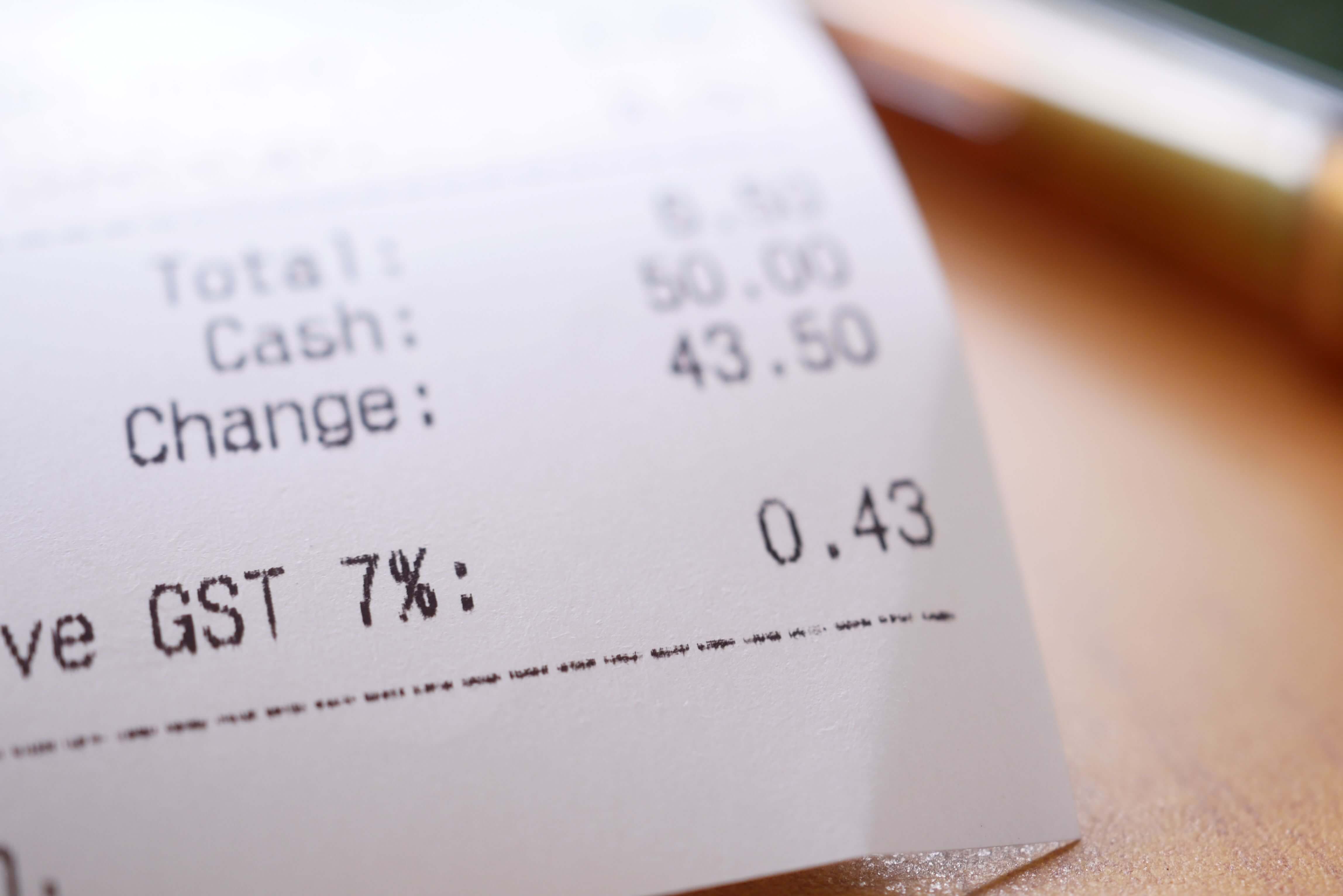
A GST invoice for an online store in India is a tax invoice that a GST-registered seller issues for every taxable sale, carrying the particulars listed in Rule 46 of the CGST Rules, 2017: the supplier's name, address and GSTIN, a unique serial number of up to sixteen characters, the date, the buyer's details where required, the HSN code, description, quantity, taxable value, tax rate and tax amount split into CGST and SGST or IGST, the place of supply and the signature of the supplier. Every order on your store needs one, and getting any field wrong creates work for you, your customer and your accountant.
This guide explains the invoice from first principles for online sellers. It covers who must issue one, how a tax invoice differs from a bill of supply, a credit note and an e-invoice, every mandatory field in plain language, how to calculate GST on tax-inclusive prices, discounts and inter-state sales with a fully worked example, how to handle the situations specific to online stores such as cash on delivery, returns, cancellations and business buyers, the mistakes that cause problems at filing time, and how to evaluate whether your platform produces invoices correctly. The legal text is quoted from the official CBIC rule pages so you can check it yourself.
Quick answer: If you are registered for GST, issue a tax invoice for every taxable order that contains the particulars in Rule 46: your GSTIN and address, a unique serial number of up to 16 characters, the date, the recipient's details (always for registered buyers, and for unregistered buyers where the supply is ₹50,000 or more or they ask), HSN code, description, quantity, taxable value after discounts, tax rate and amount, place of supply for inter-state sales, delivery address if different, and your signature. Use CGST and SGST for sales within your state and IGST for sales to other states. Issue a credit note when a sale is reduced or returned.
Who must issue a GST invoice
The obligation follows registration. A person registered under GST must issue a tax invoice for taxable supplies of goods or services, and Rule 46 sets out what the invoice must contain (CGST Rules, 2017, Rule 46). If you are not registered, you do not charge GST and you do not issue a tax invoice, although you should still give customers a proper bill or receipt with your business details and keep records of every sale.
Registration depends on turnover and the type of supply. The Central Board of Indirect Taxes and Customs sets thresholds of ₹40 lakh of aggregate turnover for suppliers of goods and ₹20 lakh for suppliers of services, with lower limits in some special category states (CBIC, GST: An Update). Other circumstances, such as supplying through certain e-commerce operators, can require registration regardless of turnover; our beginner's guide to selling online in India covers this. Thresholds and rules change, so confirm the current position on the official GST portal and with a chartered accountant.
The documents you may need to issue
A GST-registered online seller deals with more than one kind of document. Knowing which applies avoids mistakes.
| Document | When it is used | Key points |
|---|---|---|
| Tax invoice | A taxable supply by a registered person | Contains the Rule 46 particulars; shows the tax charged |
| Bill of supply | Where tax is not charged, for example certain exempt supplies or supplies by a person who is not entitled to charge tax | Rule 49 lists its particulars; it does not show a tax amount |
| Revised tax invoice | To correct or replace an earlier invoice in specified cases | Must carry the words "Revised Invoice" and refer to the original invoice (Rule 53) |
| Credit note | When the taxable value or tax on a supply is reduced, for example after a return or a discount given later | Refers to the original invoice; shows the value and tax credited (Rule 53) |
| Debit note | When the taxable value or tax on a supply is increased | Refers to the original invoice (Rule 53) |
| E-invoice | Business-to-business supplies by sellers above the e-invoicing threshold | Registered on the government's invoice registration portal, which returns an invoice reference number and QR code |
For most online sellers selling to consumers, the day-to-day documents are the tax invoice and the credit note. The bill of supply applies if you are not charging GST on a particular supply, and its details are set out in Rule 49. Revised invoices, credit notes and debit notes are covered by Rule 53.
Every mandatory field on a tax invoice, in plain language
Rule 46 lists the particulars a tax invoice must contain. The table below follows the rule's order, restates each item in plain language and explains what it means for an online store.
| Rule 46 item | What it requires | What it means for your online store |
|---|---|---|
| (a) Supplier details | Name, address and GSTIN of the supplier | Your legal name, registered address and GSTIN, exactly as on your registration |
| (b) Serial number | A consecutive serial number not exceeding sixteen characters, in one or multiple series, using letters, numerals, a hyphen or a slash, unique for a financial year | A numbering scheme with no duplicates in the year; short enough to fit sixteen characters |
| (c) Date | Date of issue | The invoice date, which should match your records |
| (d) Registered recipient | Name, address and GSTIN or UIN of the recipient, if registered | For business buyers, capture their GSTIN and business name at checkout |
| (e) Unregistered recipient, ₹50,000 or more | Name, address, delivery address and the name and code of the State | For high-value consumer orders, the invoice must carry the buyer's details and state code |
| (f) Unregistered recipient, under ₹50,000 | The same details if the recipient asks that they be recorded | Include them on request |
| (g) HSN code | Harmonised System of Nomenclature code for goods or services | An HSN code for every product; the number of digits required depends on your turnover under a government notification |
| (h) Description | Description of goods or services | A clear product name, including variant details where useful |
| (i) Quantity and unit | Quantity for goods, with the unit or Unique Quantity Code | Units such as pieces, kilograms or metres, shown per line |
| (j) Total value | Total value of the supply | The invoice total for each line and the order |
| (k) Taxable value | Taxable value after taking discount or abatement into account | The price on which tax is calculated, reduced by any discount |
| (l) Rate of tax | Rate of central, State, integrated, Union territory tax or cess | The correct percentage for each product |
| (m) Amount of tax | Tax charged, by type | The CGST and SGST, or IGST, in rupees |
| (n) Place of supply | Place of supply with the name of the State, for inter-State supplies | The customer's state for sales to other states |
| (o) Address of delivery | Where it differs from the place of supply | The shipping address when it differs |
| (p) Reverse charge | Whether tax is payable on a reverse charge basis | Normally "No" for ordinary sales to customers |
| (q) Signature | Signature or digital signature of the supplier or authorised representative | A signature or digital signature, or the form your accountant confirms is acceptable for electronic invoices |
| (r) QR code | A QR code with the invoice reference number, where the invoice is issued in the e-invoice manner | Applies only to sellers who must issue e-invoices |
The rule also includes a proviso for taxable services supplied through an electronic commerce operator to an unregistered recipient, where the invoice must contain the recipient's state. Read the full text on the CBIC rule page, because rules are amended.
Getting the invoice number right
The serial number is where many online stores slip. The rule has four conditions: it must be consecutive, no longer than sixteen characters, made only of letters, numerals, hyphens and slashes, and unique for the financial year (Rule 46(b)). You may use more than one series, for example one for the website and one for the shop counter.
| Example number | Characters | Meets the 16-character limit? |
|---|---|---|
| WEB/26-27/000123 | 16 | Yes |
| POS/26-27/000123 | 16 | Yes |
| INV-2026-000123 | 15 | Yes |
| ORD-20261003-0001 | 17 | No, one character too long |
| STORE/2026-27/0000123 | 21 | No |
Practical tips: put the financial year inside the number or restart the series each April so the number stays unique for the year, pad the sequence with zeros so it sorts correctly, keep separate series for online and offline sales if that helps reconciliation, and never reuse or skip numbers without a record of why. Many platforms use the order number as the invoice number. That is only acceptable if the order number satisfies all four conditions, so ask any platform how its invoice numbers meet the rule.
Place of supply: CGST and SGST or IGST
For goods that you deliver to a customer, the tax split depends on whether the supply is within your state or between states. Rule 46(n) requires the invoice to state the place of supply with the name of the State for inter-State supplies, and for goods the place of supply is generally where the goods are delivered; confirm the details for your case with your accountant.
| Situation | Tax charged | Who receives it |
|---|---|---|
| Your registered state and the delivery state are the same | CGST plus SGST, each at half the GST rate | Central government and your state government |
| The delivery state is different | IGST at the full GST rate | The central government, which apportions it |
For an item taxed at 18%, a sale within your state carries 9% CGST and 9% SGST, and a sale to another state carries 18% IGST. The total tax is the same; what changes is how it is labelled and reported. A store that ships all over India will issue both kinds every day, which is why the split must be calculated automatically from the delivery address and not decided by hand.
How to calculate GST on a tax-inclusive price
Indian consumers expect to see one final price, so most online stores show prices including GST. The invoice must still show the taxable value and the tax separately. Use these formulas:
- Taxable value = price including GST × 100 ÷ (100 + GST rate).
- GST amount = price including GST × GST rate ÷ (100 + GST rate).
- For an inter-state sale, the whole GST amount is IGST. For an intra-state sale, half is CGST and half is SGST.
If your prices are exclusive of GST, the tax is simply the taxable value multiplied by the rate, and the customer pays the taxable value plus the tax.
Discounts and coupons
Rule 46(k) requires the taxable value to take any discount into account. In practice, if a store gives a coupon discount on an item, the invoice should show the tax on the discounted amount. An order-level coupon needs to be spread across the items in proportion to their value, so that each line shows the correct taxable value and tax. Check how your platform allocates coupons, because getting this wrong is a frequent cause of mismatches at month end.
A fully worked invoice
The figures below are assumed for illustration. They show a customer buying two items, with a 10% coupon on the first item. Rates of 18% and 5% are used only to demonstrate the arithmetic and are not statements about the correct rate for any product, which depends on its classification.
| Line | Price paid including GST | GST rate | Taxable value | GST amount |
|---|---|---|---|---|
| Item A (₹1,180 less 10% coupon, so ₹1,062) | ₹1,062 | 18% | ₹900 | ₹162 |
| Item B | ₹525 | 5% | ₹500 | ₹25 |
| Order total | ₹1,587 | ₹1,400 | ₹187 |
Check the arithmetic: ₹1,062 × 100 ÷ 118 is ₹900, so the tax is ₹162; ₹525 × 100 ÷ 105 is ₹500, so the tax is ₹25. The taxable values add up to ₹1,400 and the tax to ₹187, which together make ₹1,587.
Now the split depends on where the order is going:
| Delivery | Item A tax | Item B tax | Invoice totals |
|---|---|---|---|
| Within your state | CGST ₹81 and SGST ₹81 | CGST ₹12.50 and SGST ₹12.50 | CGST ₹93.50, SGST ₹93.50, total ₹1,587 |
| To another state | IGST ₹162 | IGST ₹25 | IGST ₹187, total ₹1,587 |
The customer pays ₹1,587 either way. Your return, and the tax your accountant reports, differs only in the labels and in which government receives which part.
Shipping charges, packaging and cash on delivery fees
Charges that a customer pays on top of the product price, such as shipping, packaging or a cash on delivery fee, need a considered approach, because they form part of what the customer pays for the supply. How they are taxed, and at what rate, depends on the facts of the supply, so ask your chartered accountant to confirm the treatment for your business and then apply it consistently. Whatever the answer, show these charges as separate lines on the invoice so the tax on each is visible and reconcilable.
Business buyers: capturing the GSTIN at checkout
A buyer who is registered under GST may want to claim input tax credit on the purchase, so they need an invoice that carries their GSTIN and business name. Rule 46(d) requires the recipient's details on the invoice where the recipient is registered. A good checkout lets the customer tick a box such as "I want a GST invoice", then enter the GSTIN and business name, and validates the GSTIN format before the order is placed. A GSTIN has fifteen characters beginning with a two-digit state code, which also tells you the buyer's registration state.
Capture these details at the time of the order. Changing the buyer's details on a tax invoice afterwards is a correction to a legal document, and should go through your accountant. ShopMate lets customers request a GST invoice at checkout by entering a business name and GSTIN, which then appear in the Bill To section of the invoice.
Returns, cancellations and credit notes
Online stores have many returns, so credit notes matter more than they do for a shop. Rule 53 sets out what a credit note must contain: the supplier's details, the nature of the document, a serial number of up to sixteen characters unique for the financial year, the date, the recipient's details, the serial number and date of the original invoice, the value of the taxable supply, the rate of tax and the amount of tax credited, and the supplier's signature (CGST Rules, 2017, Rule 53). Section 34 of the CGST Act governs credit notes and includes time limits, so confirm the current rule with your accountant.
| Event | Usual treatment |
|---|---|
| Order cancelled before dispatch, no invoice issued yet | No invoice is needed; record the cancellation and refund the payment |
| Order cancelled after the invoice is issued | Issue a credit note referring to the original invoice |
| Full return after delivery | Credit note for the full taxable value and tax |
| Partial return | Credit note for the returned items only |
| Cash on delivery parcel refused at the door | Treat as a cancelled supply; ask your accountant how to document it |
| Exchange for a different item | Usually a credit note for the original and a new invoice for the replacement |
| Discount given after the invoice | A credit note for the reduction, where the rules allow |
Before you choose a platform, confirm whether it generates credit notes and includes them in its reports. If it does not, your accountant will have to prepare them outside the platform, which is workable at small volume and painful at scale.
Timing: when the invoice must be issued
For services, Rule 47 requires the invoice to be issued within thirty days of the supply, with longer periods for certain financial institutions (Rule 47). For goods, the time of issue is set by section 31 of the CGST Act, and in practice online sellers issue the invoice when the order is confirmed or when the goods are dispatched, so that it can accompany the shipment. Issue it consistently, and make sure it is available to the customer as a download or an email attachment.
E-invoicing: does it apply to you?
E-invoicing is a system in which certain business-to-business invoices are registered on a government portal, which returns an invoice reference number and a QR code. It applies to registered businesses above an aggregate turnover threshold, which practitioners report as ₹5 crore at the time of writing; confirm the current limit and scope on the official e-invoice portal and with your accountant. Many small online sellers who sell mostly to consumers are below the threshold, but a seller whose turnover has grown, or who supplies to registered businesses in volume, should check early. If e-invoicing applies to you, check whether your platform supports it, because manual registration of every invoice is not practical.
HSN codes
Rule 46(g) requires an HSN code on a tax invoice. The Harmonised System of Nomenclature classifies goods and decides, with the notified rate schedule, the GST rate. The number of digits you must report depends on your aggregate turnover under a government notification, so ask your accountant what applies to you and check the GST portal for the current requirement. Choose the code carefully: the HSN and the rate are linked, and a wrong classification means a wrong tax rate on every sale of that product. Store the HSN code against each product in your catalogue so it flows to every invoice, and keep a record of how you chose it. Good platforms keep the code on the product and print it on the invoice automatically.
Situations specific to online stores
| Situation | What to do |
|---|---|
| Multi-item order with different tax rates | List each item as its own line with its own rate, and total each tax type separately |
| Order split into two shipments | Agree with your accountant whether to issue one invoice or one per shipment, and apply it consistently |
| Customer changes the address after ordering | If the state changes, the CGST, SGST or IGST split changes, so correct the invoice before dispatch |
| Product bundles or combos | Ask your accountant how to value and classify the bundle and its components |
| Free gifts and samples | Ask how to treat them; they may have tax implications |
| Offline counter sales | Issue invoices from a point-of-sale system using a separate numbering series |
| Orders in the final days of a month or year | Date each invoice correctly so it falls in the right return period |
| Multiple warehouses in different states | Check whether you need a registration in each state, and invoice from the right one |
| Customer asks for a copy later | Keep every invoice retrievable by order number and date |
The most common GST invoice mistakes
| Mistake | Why it matters | Prevention |
|---|---|---|
| Wrong GST rate on a product | Under- or over-collected tax on every sale of that item | Review the rate with your accountant when you add a product |
| Missing or incorrect HSN | Fails Rule 46(g) and distorts reports | Store the HSN on each product and review it |
| Invoice number too long or duplicated | Breaks Rule 46(b) | Use a short, unique, consecutive series |
| CGST and SGST used for an inter-state sale | Wrong tax head and reporting | Calculate the split from the delivery state automatically |
| Tax calculated on the price before discount | Taxable value must reflect the discount | Allocate coupons across lines |
| No GSTIN captured for a business buyer | The buyer cannot claim credit on the purchase | Offer a GST invoice option at checkout |
| No credit note after a return | Tax stays reported on a sale that was reversed | Issue credit notes for every return or reduction |
| Invoice date different from the real date | Sales fall in the wrong return period | Date invoices automatically |
| Shipping charges left out | Understated taxable value | Show shipping as a separate line and confirm its treatment |
| Editing invoices after issue | Alters a legal document | Use revised invoices or credit notes instead |
What your accountant needs each month
GST returns are built from your invoice data, so a clean export saves hours. Ask your accountant which format they prefer, and make sure you can supply:
- An invoice-wise list with invoice number, date, customer type, state, taxable value, tax by type and total.
- Business-to-business invoices separately, with the buyer's GSTIN.
- A summary by HSN code and rate, with quantity, taxable value and tax.
- Credit notes and debit notes for the period, with references to the original invoices.
- A list of the invoice number ranges you issued, including any cancelled numbers, so that gaps can be explained.
- Payment and settlement reports from your gateway, so that sales can be reconciled with money received.
Returns themselves, such as GSTR-1 for outward supplies and GSTR-3B for the summary return, are filed on the GST portal. The exact tables and deadlines change, so rely on your accountant for the current format.
Manual invoicing versus automatic invoicing
Many sellers start by creating invoices in a spreadsheet or a billing tool. That works for a handful of orders and fails as volume grows. Here is an illustrative comparison using assumed figures:
| Assumption | Value |
|---|---|
| Orders per month | 300 |
| Time to create and send one invoice by hand, including the tax split | 4 minutes |
| Time per month | 1,200 minutes, which is 20 hours |
| Credit notes per month (10% of orders, 6 minutes each) | 30 credit notes, 180 minutes, which is 3 hours |
On these assumptions, a seller spends about 23 hours a month on documents, before correcting any errors. The risk is not only time: hand-made invoices are where wrong rates, wrong splits and duplicated numbers appear. An automated system produces each invoice from the same product, price and address data that created the order, so the numbers agree with the order, the payment and the shipment.
What to check in a platform's GST invoicing
- Does it generate an invoice automatically on every order, and make it downloadable by the customer and the merchant?
- Does it show every Rule 46 field, including your GSTIN, HSN, place of supply and delivery address?
- How are invoice numbers formed, and do they meet the sixteen-character, consecutive, unique-for-the-year conditions?
- Is the CGST, SGST or IGST split calculated from the delivery state automatically?
- Are discounts and coupons reflected in the taxable value line by line?
- Can customers enter a GSTIN at checkout, with validation?
- Does it produce credit notes for returns, and include them in reports?
- Can you export an invoice-wise and HSN-wise report for your accountant?
- Does it support e-invoicing if you are or will be above the threshold?
- Can offline sales use the same system with their own numbering series?
Ask for a sample invoice for each case: an intra-state order, an inter-state order, a discounted order, a business buyer and a return. Then ask your accountant to review them before you commit. Shopify, for instance, states on its own help page that it does not create a GST-compliant bill and recommends a third-party GST invoicing service or an app (Shopify, GST in India, read on 3 October 2026), which is the kind of difference worth finding out before you sign up with any platform. Our comparison of Shopify and Indian ecommerce platforms covers the details.
How ShopMate handles GST invoicing
ShopMate includes GST invoicing in its single plan: the home page lists GST-compliant invoicing on every order, GST invoicing and tax display on the storefront, and GST invoices and receipts from the offline POS (ShopMate). In the product, the customer invoice shows a line for each item with CGST and SGST for sales within the merchant's state or IGST for sales to other states, with totals for each tax type, and customers can request a GST invoice at checkout by entering their business name and GSTIN, which are validated and printed in the Bill To section. Merchants can also download a GST report as a CSV file for their accountant, with an invoice-wise detail section and an HSN-wise summary section.
It is important to be clear about responsibilities. ShopMate's terms state that the merchant is responsible for their own GST compliance in respect of their storefront sales, including issuing valid GST invoices to customers where the law requires (ShopMate Terms and Conditions). A platform produces the documents, but you, with your accountant, are responsible for registration, correct HSN codes and rates, and filing. Ask the team during your demo to show you the invoice for each of the cases above, including how invoice numbers are formed and how returns are documented, and have your accountant review them. Pricing is a flat 5% commission plus 18% GST on every order, with no setup fee and no yearly maintenance charge (ShopMate pricing).
A GST invoice checklist for your store
- My GSTIN, legal name and registered address are correct in the store settings.
- Every product has an HSN code and a GST rate reviewed by my accountant.
- I know whether my prices include GST and display them consistently.
- Invoice numbers are unique for the financial year, consecutive and at most sixteen characters.
- The CGST, SGST or IGST split follows the delivery state.
- Discounts and coupons reduce the taxable value line by line.
- Customers can request an invoice with their GSTIN, which is validated.
- Returns produce credit notes that refer to the original invoice.
- Shipping and other charges appear as separate lines, treated as my accountant advises.
- I can export invoice-wise and HSN-wise reports for each month.
- I have tested sample invoices for intra-state, inter-state, discounted, business and returned orders.
- I know whether e-invoicing applies to me now or will soon.
Frequently asked questions
Is a GST invoice mandatory for online sales in India?
If you are registered under GST, yes: you must issue a tax invoice for every taxable supply, with the particulars listed in Rule 46 of the CGST Rules, 2017. If you are not registered, you do not charge GST or issue a tax invoice, but you should still keep proper records of each sale.
What details must a GST invoice contain?
The supplier's name, address and GSTIN, a unique serial number of up to sixteen characters, the date, the recipient's details where required, the HSN code, description, quantity, taxable value after discounts, tax rate and amount, place of supply for inter-state sales, delivery address where different, whether reverse charge applies and the supplier's signature.
What is the difference between CGST, SGST and IGST?
CGST and SGST are charged together on supplies within a state, each at half the GST rate. IGST is charged at the full rate on supplies between states. The customer pays the same total; the labels and the government that receives each part differ.
How do I calculate GST from a tax-inclusive price?
Divide the price by one plus the GST rate to get the taxable value. For a price of ₹1,180 including 18% GST, the taxable value is ₹1,000 and the GST is ₹180. On an inter-state sale, the full ₹180 is IGST; within a state, it is ₹90 CGST and ₹90 SGST.
Do I need to issue a credit note when a customer returns an order?
If an invoice has been issued and the taxable value or tax is reduced, for example by a return, a credit note referring to the original invoice is the usual document, with the particulars in Rule 53. Section 34 of the CGST Act sets conditions and time limits, so confirm the current position with your accountant.
Can the invoice number be the same as the order number?
Only if it satisfies the rule: consecutive, no more than sixteen characters, using only letters, numerals, hyphens and slashes, and unique for the financial year. Many order-number formats are longer than sixteen characters, so check how your platform forms invoice numbers.
Do small online sellers need e-invoicing?
E-invoicing applies to registered businesses above an aggregate turnover threshold, reported as ₹5 crore at the time of writing, for specified business-to-business supplies. Many small sellers are below it, but check the current rules on the e-invoice portal and with your accountant.
Does ShopMate create GST invoices automatically?
ShopMate generates an invoice for each order showing CGST and SGST or IGST by item, lets customers request a GST invoice with their GSTIN at checkout, and provides a GST report for your accountant. You remain responsible for your own GST compliance, so ask for a demo and have your accountant review sample invoices.
Sources and further reading
Legal text in this guide is taken from the CBIC's official rule pages, which were read on 3 October 2026. Rules, rates, thresholds and notifications change, so confirm the current position before relying on this guide. Sources were last checked on 3 October 2026.
- Central Board of Indirect Taxes and Customs, CGST Rules, 2017, Rule 46 (Tax invoice), Rule 47 (Time limit for issuing tax invoice), Rule 49 (Bill of supply) and Rule 53 (Revised tax invoice and credit or debit notes).
- Central Board of Indirect Taxes and Customs, GST: An Update, for registration threshold limits.
- Goods and Services Tax Network, official GST portal, and e-invoice portal.
- Shopify, GST in India, for Shopify's statement on GST-compliant bills.
- ShopMate, home, terms and conditions and pricing pages, for ShopMate features, responsibilities and pricing.
Disclaimer: This article is for general information only and is not legal, tax or financial advice. ShopMate is the publisher of this guide and has a commercial interest in the platform it describes. All worked examples use assumed figures and rates for illustration only; the correct rate for any product depends on its classification. GST law, rules, rates, thresholds and notifications change, and your situation may differ. Consult a qualified chartered accountant or legal professional before making decisions.
See a GST invoice built for your store
The best test of any platform is a sample invoice. ShopMate offers a 7-day free trial and a demo call, where you can place test orders, review the invoice for an intra-state and an inter-state sale, enter a GSTIN at checkout and download the GST report your accountant will use. Book a free demo, review the pricing details, or read more about ShopMate.