
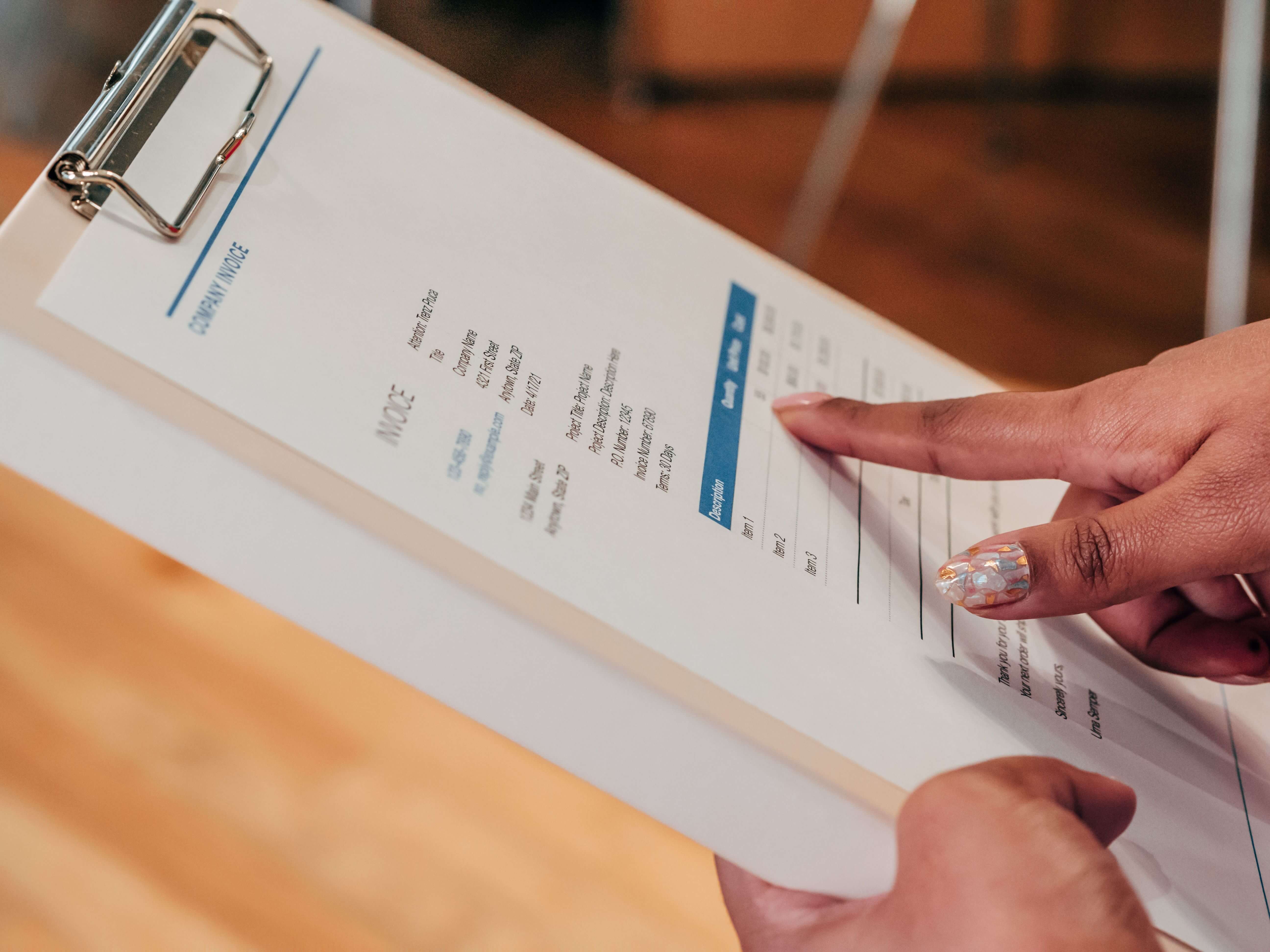
The GST invoice format for online orders in India is not a single prescribed template. It is a list of particulars in rule 46 of the CGST Rules, from the supplier's GSTIN and a unique serial number to HSN, taxable value, tax and delivery address. This guide explains each field, the credit notes that correct an invoice, and a sample with assumed figures.
Quick answer: Build your GST invoice format for online orders in India from the rule 46 list: supplier name, address and GSTIN; a consecutive serial number of up to sixteen characters; date; recipient details as applicable; HSN, description, quantity and unit; total value, discount-adjusted taxable value, tax rate and tax amount; place of supply for inter-State sales; delivery address; reverse charge status; and a signature or QR code where required. Returns and price corrections are handled by credit notes, not by editing the invoice. Rules were read on 14 October 2026 from the CBIC's consolidated copies dated 1 January 2022.
What the law actually requires on a tax invoice
The duty to issue a tax invoice sits in section 31 of the CGST Act. A registered person supplying taxable goods issues the invoice before or at the time of removal of the goods, where the supply involves movement of goods, or at the time of delivery or of making the goods available in any other case. The wording is in the CBIC consolidated CGST Act, which on the date of reading carried amendments up to 1 January 2022. For services, section 31(2) leaves the period to the rules, and rule 47 of the CGST Rules sets thirty days from the date of supply for most suppliers, with forty-five days for insurers, banks and financial institutions.
Rule 46 supplies the contents, and there is no mandated layout: the GST Council's flyer on credit notes says of that document that "there is no prescribed format" beyond the listed particulars, and the same logic applies to invoices. Two practical consequences follow for an online store. First, the invoice is tied to dispatch or delivery, not to the click on the pay button. A prepaid order that has not shipped has a payment and an order record but, on the face of section 31(1), no invoice yet. Second, the buyer in most online orders is an unregistered consumer, so some of the recipient fields depend on order value, as the next sections explain. If the word "invoice" itself is new to you, the neutral Wikipedia article on invoices is a reasonable background read, and Wikipedia's page on GST in India gives the wider context.
Where each document sits in the life of an online order
Most invoicing mistakes in online stores come from tying the wrong document to the wrong event. The table maps common order events to the document that normally follows, under the sections and rules read for this guide. It is a planning aid built from the provisions quoted below.
| Order event | Document | Basis and note |
|---|---|---|
| Order placed and paid online, goods not yet dispatched | Payment record only; tax invoice follows at dispatch | Section 31(1) ties the invoice to removal or delivery of the goods |
| Goods dispatched | Tax invoice, rule 46 | Issue before or at removal for goods that move |
| Order cancelled before dispatch and before any invoice | No invoice and no credit note | Nothing was supplied; the refund is a payment-gateway action |
| Customer returns goods after delivery | Credit note, section 34(1) | The Act lists "goods supplied are returned by the recipient" |
| Goods found damaged or deficient, partial refund agreed | Credit note, section 34(1) | The Act lists goods "found to be deficient" |
| Price or tax charged was higher than payable | Credit note, section 34(1) | The Act covers taxable value or tax exceeding what is payable |
| Price or tax charged was lower than payable | Debit note, section 34(3) | The Act covers taxable value or tax found to be less than payable |
| Registered buyer needs a changed GSTIN after invoicing | No edit to the issued invoice | Rule 53 provides for revised invoices only for supplies made between the effective date of registration and the certificate of registration |
The table reflects a distinction that matters: the refund of money and the tax document are two separate acts. The refund travels through your payment gateway, and Razorpay's documentation on refunds describes how refunds are issued to the original payment method. The credit note is the document that supports the reduction of your tax liability. A refund without a credit note leaves your tax records unchanged, and a credit note without a refund leaves the customer short.
The GST invoice format for online orders: rule 46 fields, one by one
The table lists each clause of rule 46 in plain language, with a note on how it applies to an online order. The clause letters are those of the rule as published in the CBIC rules PDF read on 14 October 2026, and clause (r) was added by Notification 72/2020-Central Tax according to that document's footnotes.
| Clause | Field | What it means for an online order |
|---|---|---|
| (a) | Supplier name, address and GSTIN | The registered name and the GSTIN of the State from which the supply is made |
| (b) | Consecutive serial number, up to sixteen characters | Letters, numerals, hyphen and slash allowed; unique for the financial year; one or more series allowed |
| (c) | Date of issue | The date the invoice is raised, which for goods is at or before removal or delivery |
| (d) | Recipient name, address and GSTIN or UIN, if registered | For business buyers; capture and validate the GSTIN at checkout |
| (e) | Name and address of an unregistered recipient, delivery address, State name and code, where taxable supply is ₹50,000 or more | Mandatory for high-value consumer orders |
| (f) | The same details where value is below ₹50,000 and the recipient requests them | Optional by request, though a delivered order carries the address anyway |
| (g) | HSN code for goods or services | The digit count depends on turnover, as the HSN section below explains |
| (h) | Description of goods or services | A description that matches the HSN, not only a marketing name |
| (i) | Quantity for goods, and unit or Unique Quantity Code | Pieces, sets or kilograms; keep units consistent across documents |
| (j) | Total value of supply | The value before discount |
| (k) | Taxable value after discount or abatement | The base on which tax is computed |
| (l) | Rate of tax (central, State, integrated, Union territory or cess) | One line per rate, split into CGST and SGST or IGST |
| (m) | Amount of tax charged | Computed on the taxable value, per tax head |
| (n) | Place of supply with State name, for inter-State supply | The destination State for a delivered order |
| (o) | Address of delivery where different from the place of supply | The shipping address, if it differs |
| (p) | Whether tax is payable on reverse charge basis | A "Yes" or "No" marker, normally "No" for a store's own sales |
| (q) | Signature or digital signature of the supplier or authorised representative | A proviso says it is not required on an electronic invoice issued under the Information Technology Act, 2000 |
| (r) | QR code with Invoice Reference Number | Only where the invoice is issued in the manner of sub-rule (4) of rule 48, that is, e-invoicing |
Recipient fields: three kinds of buyer
Clauses (d), (e) and (f) divide buyers into three groups, and a store that sells to all three needs conditional logic rather than one fixed block.
- Registered business buyer: clause (d) requires the buyer's name, address and GSTIN or UIN. A buyer who types a wrong GSTIN at checkout creates an invoice the buyer cannot use, so validate the format before you issue it.
- Unregistered buyer, taxable supply of ₹50,000 or more: clause (e) requires name, address, delivery address, State name and State code.
- Unregistered buyer, taxable supply below ₹50,000: clause (f) makes those details mandatory only if the buyer asks for them to be recorded. A delivered order nonetheless carries a name and address because the courier needs one.
Illustrative scenario: a Pune accessories seller and a business buyer
A Pune-based seller of office accessories receives an order from a company in Pune that ticks a "I need a GST invoice" box and enters a GSTIN. The checkout should do three things before the order is confirmed. It should count fifteen characters in the GSTIN, since the GST Council's registration flyer describes the GSTIN as a 15-digit number. It should read the first two digits as the buyer's State code, which the same flyer describes as the first two digits of the GSTIN. And it should compare that State with the seller's own State. If both are Maharashtra, the supply is intra-State and the invoice carries CGST and SGST. If the buyer's GSTIN began with another State's code, the invoice would carry IGST. The buyer's name and address on the invoice should be those of the registered business, not of the person who placed the order.
HSN, description, quantity and unit
Clauses (g), (h) and (i) describe what was sold. The Harmonised System of Nomenclature is an international classification, and Wikipedia's article on the Harmonized System explains its structure of chapters, headings and sub-headings. In India the HSN for goods is used for both customs and GST. The PIB note of 31 March 2021 explains that codes prescribed in the Customs tariff are used for GST purposes, and that from 1 April 2021 a taxpayer with turnover above ₹5 crore in the preceding financial year must show 6 digits, while one with turnover up to ₹5 crore must show 4 digits on B2B invoices.
The GST portal has a second, separate HSN duty, the HSN summary in GSTR-1. The portal's advisory on Table 12 states that from the May 2025 return period a taxpayer with turnover up to ₹5 crore must report 4-digit HSN codes and one with more than ₹5 crore must report 6-digit codes, that manual entry is replaced by selection from a drop-down list, and that the summary is furnished separately for B2B and B2C supplies. The practical lesson is to keep one HSN per product in your product master and print the same code on the invoice, so the two never diverge. Search for your code on the GST portal's HSN search, and look up the applicable rate on the CBIC GST rates page, since rates change by notification and are outside the scope of this guide.
Three drafting points reduce errors. Write the description in words that match the HSN heading, adding the marketing name after it. Print the quantity and the unit on every line, because clause (i) asks for both. And use one unit per product, for example "pieces" or "sets", so that the unit on an invoice and on a later credit note cannot disagree.
Value, discounts, coupons and shipping: getting the taxable value right
Clauses (j) and (k) carry the figures that matter most. Clause (j) is the total value of the supply, and clause (k) is the taxable value taking discount into account. Section 15(3) of the Act says the value of the supply does not include a discount given before or at the time of supply if the discount is duly recorded in the invoice. For an online store that means a coupon applied at checkout should appear on the invoice and reduce the taxable value before tax is computed.
Section 15(2)(c) of the same Act adds incidental expenses, including commission and packing, charged by the supplier to the recipient at or before delivery, to the value of the supply. A packing or shipping fee that you charge the customer is therefore not ignored when you compute tax.
Worked example 1: a cart coupon spread across two items (ASSUMED figures)
Assume a Gujarat seller ships to a customer in Karnataka, so the supply is inter-State and IGST applies. Item X is priced at ₹1,500 and carries an assumed rate of 18 per cent. Item Y is priced at ₹500 and carries an assumed rate of 5 per cent. The customer applies a ₹200 seller-funded coupon to the cart, and a ₹100 shipping fee is charged at an assumed 18 per cent. The coupon is spread in proportion to price: X receives 200 × 1,500 ÷ 2,000 = ₹150 and Y receives 200 × 500 ÷ 2,000 = ₹50.
| Line | Gross value (₹) | Coupon share (₹) | Taxable value (₹) | Assumed IGST rate | IGST (₹) |
|---|---|---|---|---|---|
| Item X | 1,500.00 | 150.00 | 1,350.00 | 18% | 243.00 |
| Item Y | 500.00 | 50.00 | 450.00 | 5% | 22.50 |
| Shipping fee | 100.00 | 0.00 | 100.00 | 18% | 18.00 |
| Total | 2,100.00 | 200.00 | 1,900.00 | 283.50 |
The checks are simple. Taxable values add up as 1,350 + 450 + 100 = 1,900. Tax is 18 per cent of 1,350, which is 243; 5 per cent of 450, which is 22.50; and 18 per cent of 100, which is 18; together 283.50. The invoice value is 1,900 + 283.50 = ₹2,183.50. Spreading the coupon line by line, rather than taking it off the grand total, matters because the two items carry different rates and a later return of one item needs the exact taxable value of that item.
Place of supply and the tax split: CGST and SGST, or IGST
Clause (n) requires the place of supply with the name of the State for inter-State supplies, and clause (l) requires the tax rate split by head. The place of supply is decided under the IGST Act, whose section 10 deals with goods. A secondary reproduction of the text on KnowYourGST shows the general rule for goods that move: the place of supply is where the movement ends. For supplies to unregistered persons, record the delivery address on the invoice, as the rule 46 clauses above require.
Operationally, compare the State of your GSTIN with the State of delivery. If they match, split tax into CGST and SGST; if not, charge IGST and print the destination State as place of supply. Never print both on one line.
An annotated sample invoice, with assumed figures
The sample below is an assumed intra-State sale by a registered Maharashtra seller to a Maharashtra consumer. It is a layout aid, not a legal template, and the rates are assumed for illustration only. Square brackets mark values you must fill from your own records.
| Block | Sample content (assumed) | Clause |
|---|---|---|
| Header | TAX INVOICE; seller: Example Home Goods; address; GSTIN [seller's 15-character GSTIN] | (a) |
| Document identity | Invoice no. EL/26-27/000123; date 14 June 2026 | (b), (c) |
| Bill to and ship to | Consumer name; billing address; delivery address; State: Maharashtra, code [State code] | (e) or (f), (o) |
| Supply context | Place of supply: Maharashtra; reverse charge: No | (n), (p) |
| Line 1 | Ceramic mug set; HSN [your code]; qty 2 sets; gross ₹1,200; discount ₹100; taxable ₹1,100; CGST 9% ₹99; SGST 9% ₹99 | (g) to (m) |
| Line 2 | Cotton cushion cover; HSN [your code]; qty 3 pieces; gross ₹600; discount nil; taxable ₹600; CGST 2.5% ₹15; SGST 2.5% ₹15 | (g) to (m) |
| Totals | Taxable ₹1,700; CGST ₹114; SGST ₹114; invoice value ₹1,928 | (j) to (m) |
| Footer | Authorised signatory, or a system-generated statement for an electronic invoice; return policy reference | (q) |
The arithmetic, so you can check any template: line 1 taxable value is 1,200 − 100 = 1,100, and 9 per cent of 1,100 is 99 for each of CGST and SGST. Line 2 taxable value is 600, and 2.5 per cent of 600 is 15 for each. Total taxable value is 1,100 + 600 = 1,700. CGST is 99 + 15 = 114, SGST is also 114, and the invoice value is 1,700 + 114 + 114 = 1,928. For an inter-State order with the same lines, the total tax of 228 would appear as IGST: 18 per cent on line 1 gives 198, and 5 per cent on line 2 gives 30, and 198 + 30 = 228. The destination State would be shown as place of supply.
Designing a serial number series that survives growth
Rule 46(b) allows one or multiple series with letters, numerals, a hyphen and a slash, up to sixteen characters, unique for a financial year. The GST portal's GSTR-1 FAQ confirms the same limit and the same permitted characters. Rule 48(3) adds that the serial numbers of invoices issued in a tax period are furnished electronically in GSTR-1. The choice of format is yours, and the table compares several, with character counts worked out so you can check them.
| Format (example) | Characters | Capacity per series | Comment |
|---|---|---|---|
| EL/26-27/000123 | 15 | 999,999 numbers | Channel code, financial year, running number; readable and within the limit |
| WEB/2627/000123 | 15 | 999,999 numbers | Shorter year block leaves no room for a longer prefix |
| POS-26-27-000123 | 16 | 999,999 numbers | Exactly at the limit, so a longer prefix would break the rule |
| STOREWEB/26-27/000123 | 21 | Not usable | Over sixteen characters, which rule 46(b) does not allow |
Four habits make a series survive growth. Give each channel its own prefix, so online and counter sales never claim the same number. Reset the running number each financial year, because uniqueness is tested per financial year. Keep a separate series for credit notes, for example CN/26-27/000007, which is also fifteen characters. And never delete an issued invoice: if one was raised in error, cancel it in the system so it stays in the series. Rule 48(3) means your series are visible to the tax system, so gaps and duplicates are easy to see from the outside.
E-invoicing: where the ₹5 crore line matters and where it does not
E-invoicing is the reporting of specified documents to an Invoice Registration Portal to obtain an Invoice Reference Number. The GST portal's e-invoicing overview states that it does not mean a government portal generates your invoice: taxpayers continue to create invoices in their own billing system and report them. It says the notified turnover is ₹5 crore and above from 1 August 2023, measured on aggregate turnover by PAN in any preceding financial year since 2017-18, and that covered documents are invoices, credit notes and debit notes in respect of B2B supplies, supplies to SEZs, exports and deemed exports. The legal source is Notification 10/2023-Central Tax, which replaced "ten crore rupees" with "five crore rupees" from 1 August 2023 in the principal notification, and the Council's listing of that notification summarises it the same way.
Two points follow for an online store. First, the listed categories are B2B and similar supplies. An ordinary sale to a consumer is not among them, so a store that sells to consumers is not affected on the face of that list, though a store with large business sales above the line is. Second, the line moves with turnover, so a growing seller should plan for it early. The 57th GST Council meeting, in its PIB release of 8 October 2026, recommended extending e-invoicing to domestic supplies received from an unregistered person under reverse charge and to imports of services for taxpayers with turnover of ₹5 crore and above. These are recommendations, and they concern purchases rather than your own sales, but they show the direction.
Special cases and a high-value scenario
Rule 46 has provisos for a few special cases. A registered person may issue a consolidated tax invoice at the close of each day where the recipient is unregistered and does not require an invoice, which suits a counter and not a delivered order. Exports carry a prescribed endorsement and the country of destination. A proviso also dispenses with the signature on an electronic invoice issued under the Information Technology Act, 2000. Rule 53(2) allows revised invoices only for the period between the effective date of registration and the certificate of registration, so it is not a general edit facility.
Illustrative scenario: a high-value order from a consumer
Suppose a home-appliance seller in Jaipur receives an order from a consumer in Chennai for a single item with a taxable value of ₹62,000 (ASSUMED). The buyer is unregistered, and the taxable supply is above ₹50,000, so clause (e) applies: the invoice must carry the buyer's name and address, the delivery address, and the State name and code. The seller's checkout should therefore have made those fields compulsory once the cart value crossed ₹50,000, and the order should not move to dispatch until they are present. Since the supply is likely inter-State, the invoice would show IGST and the place of supply. If the buyer later supplies a GSTIN for a business purchase, the issued invoice is not edited.
Credit notes: what they are for
A tax invoice is not edited after it is issued. When something changes, you issue a credit note or a debit note. Section 34(1) permits a credit note where the taxable value or tax charged exceeds what is payable, where the goods are returned by the recipient, or where the goods or services are found deficient. A debit note under section 34(3) covers the opposite case, where the taxable value or tax is found to be less than payable, and the Explanation to section 34 says a debit note includes a supplementary invoice. The GST Council's flyer Credit Note in GST lists typical reasons: a value declared too high, a rate declared higher than applicable, a quantity received that is less than declared, and quality that is not to the satisfaction of the recipient. Wikipedia has general articles on a credit note and a debit note for the basic concept.
For an online store, the usual triggers are a return after delivery, a partial refund for a damaged item, a price correction after a coupon was not applied, and a cancellation of one item from a multi-item order after the invoice was raised. Wikipedia's article on return merchandise authorization describes a controlled returns process. A useful rule is that every approved refund has exactly one credit note, and a credit note is never raised without an approved refund or an approved correction.
Section 34(2) carries a proviso: no reduction in output tax liability is permitted if the incidence of tax and interest on the supply has been passed on to any other person. A refund of the full price to the consumer fits that rule, and a credit note with no refund behind it does not.
The credit note fields
Rule 53(1A) lists the particulars of a credit or debit note. They mirror an invoice, with one important addition: the reference to the invoice being corrected.
| Clause | Field | Note for an online store |
|---|---|---|
| (a) | Supplier name, address and GSTIN | The same as on the invoice |
| (b) | Nature of the document | Print "Credit note" or "Debit note" |
| (c) | Consecutive serial number, up to sixteen characters, unique for the financial year | Use a separate credit note series |
| (d) | Date of issue of the document | The date the credit note is raised, not the date of the return pickup |
| (e) | Recipient name, address and GSTIN or UIN, if registered | As on the invoice |
| (f) | Name and address, delivery address, State name and code, if the recipient is unregistered | As on the invoice |
| (g) | Serial number and date of the corresponding tax invoice or bill of supply | The link that shows what is being corrected |
| (h) | Value of taxable supply, rate of tax and the tax credited or debited | Only the amounts being reduced, line by line |
| (i) | Signature or digital signature | As for invoices |
Worked example 2: credit notes for a return and for a missed coupon (ASSUMED figures)
A partial return from the sample invoice
Continuing the Maharashtra sample, suppose the customer returns one cushion cover from invoice EL/26-27/000123. The line had three covers with a taxable value of ₹600, so one cover has a taxable value of 600 ÷ 3 = ₹200. CGST at 2.5 per cent is ₹5, and SGST is ₹5. The credit note value is 200 + 5 + 5 = ₹210. It carries its own number, for example CN/26-27/000007, its own date of issue, and a reference to invoice EL/26-27/000123 dated 14 June 2026. The refund is ₹210, assuming the whole line amount including tax is returned and no deduction applies.
A return of one item from the coupon order
Return to worked example 1. The customer sends back item Y. Its taxable value after the coupon share is ₹450, and IGST at the assumed 5 per cent is ₹22.50. The credit note value is 450 + 22.50 = ₹472.50. Notice that the customer is credited ₹472.50, not the ₹500 sticker price, because the ₹50 coupon share was never paid by the customer. A credit note computed from the sticker price would reduce your output tax by more than you charged.
A coupon that was not applied
Suppose an invoice shows a taxable value of ₹2,000 with 18 per cent IGST of ₹360, a total of ₹2,360, and the customer proves that a ₹200 coupon should have applied. The correction credit note has a taxable value of ₹200 and IGST of 200 × 18% = ₹36, so the credit note is ₹236 and the refund is ₹236. After the correction the net taxable value is 2,000 − 200 = ₹1,800, the net tax is 360 − 36 = ₹324, and the net amount is ₹2,124, which equals 2,360 − 236.
Timing rules for credit notes
Section 34(2) says the credit note is declared in the return for the month in which it was issued, but not later than a cut-off date that follows the end of the financial year of the original supply. The consolidated Act dated 1 January 2022 says "September", while the PIB's clarification of 4 October 2022 records that, with effect from 1 October 2022, the time limit for the declaration of credit notes in the return is 30 November of the next financial year or the date of furnishing of the annual return, whichever is earlier. The GSTR-1 FAQ on the portal and the Council flyer still show "September" in places, so the 2022 clarification and the current statute are the authority for the 30 November date.
Assumed example: an invoice dated 14 June 2026 falls in financial year 2026-27, so on the PIB clarification its credit note must be declared by 30 November 2027 or the annual return date, whichever is earlier, though the credit note still belongs in the return for the month it is issued.
How invoices and credit notes show up in GSTR-1
The portal's GSTR-1 FAQ lists what the return contains: invoice-level details of supplies to registered persons; invoice-level details of inter-State supplies to unregistered persons where the invoice value is greater than ₹2,50,000; details of credit and debit notes issued; exports; summarised State-level details of supplies to unregistered persons; advances; amendments; nil-rated, exempt and non-GST supplies; and an HSN-wise summary. It states that credit notes are reported in the return of the month in which they are issued, that credit notes for B2C large transactions are reported separately, and that for B2C small transactions the supplies are reported net of debit notes and credit notes.
The same FAQ says Table 13, the documents-issued summary, is mandatory whenever invoice data is entered, so the counts of your invoice and credit note series appear in every return, and that errors in the previous year's invoices cannot be amended after 30 November of the following financial year.
Reconciling the refund, the credit note and the return
A returned order produces three records that must agree: the refund in the gateway, the credit note in the tax records, and the stock movement. The sheet layout below is a simple reconciliation template you can build in any spreadsheet or reproduce in your store's reports. One row represents one approved return.
| Column | What to record | Why it matters |
|---|---|---|
| Order number and invoice number | Both identifiers, with the invoice date | Clause (g) of rule 53(1A) requires the invoice number and date on the credit note |
| Return reason and approval date | Returned, deficient, price correction | Maps to the grounds in section 34(1) |
| Credit note number and date | From the credit note series | The date of issue decides the return month |
| Taxable value and tax credited | By line and rate | Feeds the credit note and the return |
| Refund amount and gateway reference | Amount returned to the customer | Should equal the credit note value, unless a documented deduction applies |
| Refund date and status | Initiated, processed or failed | Razorpay's refund documentation lists states such as processed and failed |
| Stock status | Restocked, damaged, written off | Matches inventory to the credit note |
A template reply for invoice correction requests
A short reply saves time: "We have received your request to change invoice [number] dated [date]. We cannot edit an issued tax invoice, so we will issue a credit note and, where needed, a fresh invoice with the corrected details. Please confirm the correct name, address and GSTIN. We will update you within [number] working days." Fill the brackets from your own policy, and keep records for the period set by section 36 of the Act, which refers to seventy-two months from the due date of the annual return.
Where the platform fits, and what it cannot decide
A store platform should generate the invoice from the order, print the particulars above, number them in sequence and keep a copy the customer can download. ShopMate offers GST invoicing and an offline POS among its features. A platform cannot decide your HSN code, your rate or your registration status; those come from your own analysis. The ShopMate articles GST invoice for an online store: the full guide, GST compliance for ecommerce sellers in India and the retail POS and ecommerce integration guide add context, and the Razorpay setup walk-through covers the payment side of refunds. Wikipedia's article on the point of sale explains the counter-side concept if you run both channels.
Common mistakes and how to avoid them
- Serial numbers over sixteen characters, or reused after a system change. Count characters in your longest prefix and keep the old series closed, not restarted.
- A missing or mismatched HSN. Keep the code in the product master and print it from there; the portal now expects selection from a list in the HSN summary.
- Tax computed on the pre-discount price. Compute on the taxable value after the recorded discount, as in worked example 1.
- CGST and SGST on an inter-State order, or IGST on an intra-State one. Drive the split from the delivery State.
- Credit notes with no invoice reference. Clause (g) requires the invoice number and date; make the field non-optional.
- Credit notes valued at the sticker price rather than the taxable value after discount. Use the line's taxable value, as in worked example 2.
- Deleting an invoice instead of cancelling it. Keep every number in the series and record the reason.
- Refunding without a credit note. The refund moves money, and the credit note moves your tax liability.
Invoice and credit note design checklist
- Every rule 46 field is on the template, and each field has a named data source in the store.
- The invoice number stays within sixteen characters and resets each financial year, with a separate prefix per channel.
- A separate series exists for credit notes, and each credit note cites an invoice number and date.
- HSN and tax rate come from the product master, not typed by hand, and digit length matches your turnover band.
- The CGST, SGST or IGST split follows the delivery State, with the place of supply printed on inter-State invoices.
- Consumer orders of ₹50,000 or more capture name, address, delivery address and State code.
- Discounts and coupons are recorded on the invoice and reduce the taxable value line by line.
- Every approved refund produces one credit note, and the monthly refund total matches the credit note total.
- Credit notes are issued in the month of the refund and well before the 30 November limit.
- Invoice and credit note history can be exported and is retained for the period set by section 36 of the Act.
- E-invoice readiness is planned if aggregate turnover may reach ₹5 crore.
Frequently asked questions
What must a GST invoice contain for an online order?
Rule 46 requires the supplier's name, address and GSTIN; a consecutive serial number of up to sixteen characters; the date; recipient details as applicable; HSN, description, quantity and unit; total value, taxable value, rate and tax amount; place of supply for inter-State sales; delivery address where different; reverse charge status; and a signature or QR code where applicable.
Is the customer's name and address mandatory on a consumer invoice?
For an unregistered recipient, rule 46(e) makes the name, address, delivery address and State details mandatory where the taxable supply is ₹50,000 or more. Below that, clause (f) requires them only if the recipient asks. A delivered online order still carries an address for delivery, and clause (o) covers a delivery address that differs from the place of supply.
Can I edit a GST invoice after sending it?
Not in the sense of altering an issued invoice. The law provides credit notes, debit notes and, in limited cases, revised invoices under rule 53. If an invoice contains an error, choose the instrument by the direction of the error: a credit note where the value or tax charged was higher than payable, a debit note where it was lower, as in the table above, and record the reason. A cancelled invoice number should stay in the series.
When do I issue a credit note for a returned order?
When the goods are returned or found deficient and you have accepted the claim, in line with section 34(1). Issue it with the refund, declare it in the return for the month of issue, and stay within the cut-off the PIB clarification of 4 October 2022 describes: 30 November following the financial year of the original supply, or the annual return date if earlier.
Can I issue a credit note without refunding the customer?
The proviso to section 34(2) says no reduction in output tax liability is permitted if the incidence of tax has been passed on to another person. A credit note raised while the customer has paid the full amount and received nothing back does not fit that picture neatly. Treat the credit note and the refund as a pair.
Does a small store need e-invoicing?
The GST portal's overview states that e-invoicing applies where aggregate turnover is ₹5 crore and above from 1 August 2023, and it lists B2B, SEZ, export and deemed export supplies as the covered categories. A smaller store is outside that requirement on those facts, though eligibility depends on turnover in any year since 2017-18.
How should I number invoices from two channels?
Rule 46(b) allows multiple series, so one prefix per channel works, provided every number is unique for the financial year and no longer than sixteen characters. Keep credit notes in a separate series and do not reuse prefixes after a change of system, since duplicates break the uniqueness requirement and show up when series are reported in the return.
Which HSN digit length should I print on the invoice?
The PIB note of 31 March 2021 says 6 digits for turnover above ₹5 crore in the preceding financial year and 4 digits on B2B invoices for turnover up to ₹5 crore. The portal advisory on Table 12 applies the same 4-digit and 6-digit bands to the return from May 2025. Use one code per product, matching your product master.
Put a GST invoice format for online orders into your store
If you would like to see how a branded store generates GST invoices from orders, ShopMate generates GST invoices from orders for a branded store, with a 7-day free trial and a demo available. Book a session at theshopmate.com/contact#demo, see how the single plan works on the pricing page, or read about ShopMate.
Disclaimer: This article is for general information only and is not legal, tax or financial advice. ShopMate is the publisher of this guide and has a commercial interest in the platform it describes. Rules, thresholds, fees and platform terms change, and your situation may differ. Statutory text was read from the CBIC's consolidated copies dated 1 January 2022 and later notifications and portal pages as stated, so check current wording before relying on it. Consult a qualified chartered accountant or legal professional before making decisions.