
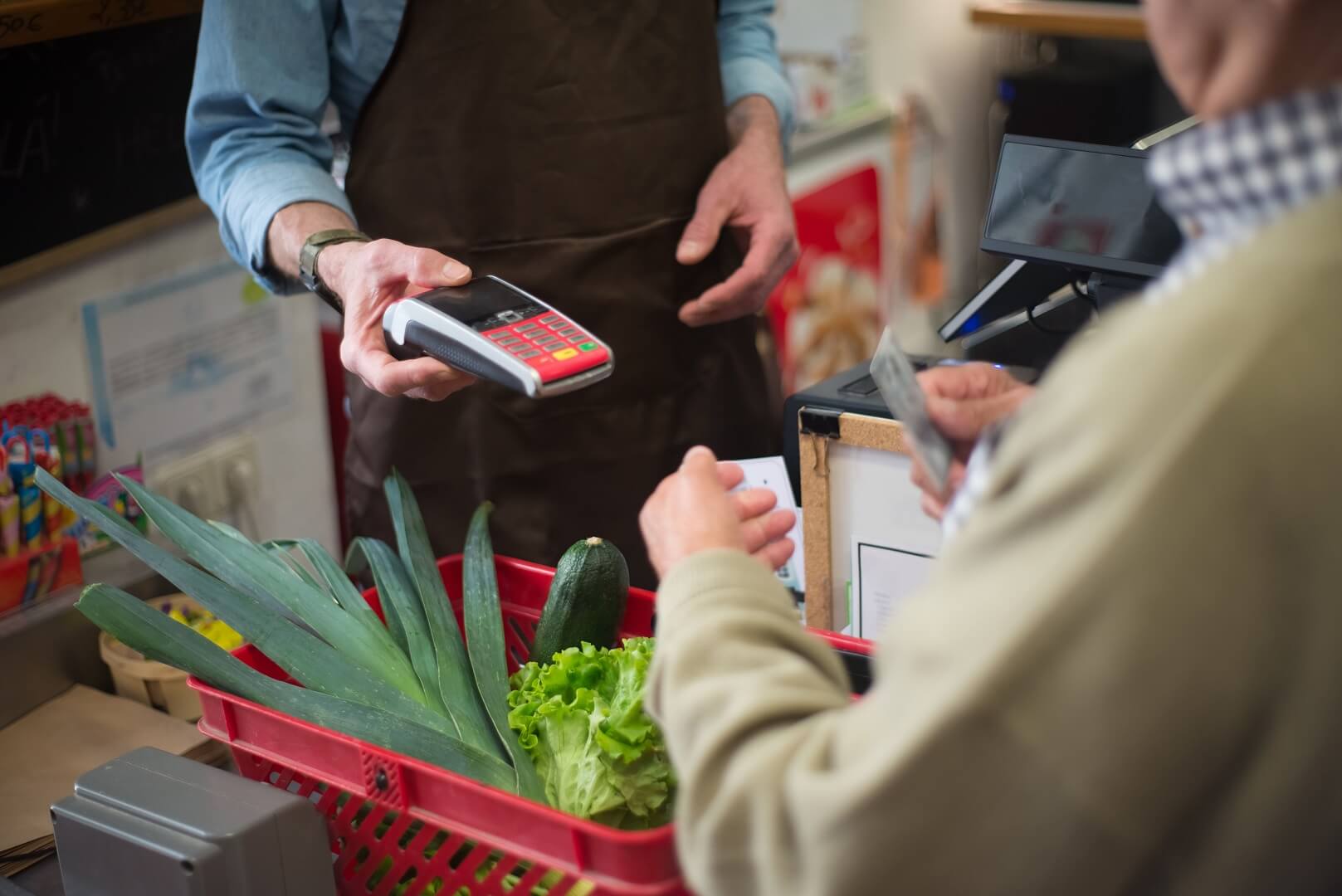
Offline-online inventory sync means that every unit of stock is counted once, and every sale, return, receipt and adjustment, in the shop or on the website, changes that one count immediately and leaves a record. The aim is simple: the number your online store shows should be the number you can actually ship, and the number your counter staff see should be the number on the shelf. Reaching that aim takes more than software. It takes a clear stock model, rules for holding stock while payment is pending, a plan for reordering before you run out, a counting routine that keeps the records honest and a way to investigate when numbers disagree.
This guide goes deeper into the mechanics than our overview of POS and ecommerce integration. It defines the three numbers every stock record needs, walks through a full stock ledger with a worked sequence, explains reservations and why unpaid orders must expire, compares synchronisation architectures and their failure modes, covers single-pool versus per-location stock, shows how to calculate safety stock and reorder points with a worked example, applies ABC analysis to decide where to focus, sets out cycle counting and shrinkage control, covers purchase orders and festival planning, and gives a small set of metrics to track. It ends with how ShopMate's stock model works and where its limits are.
Quick answer: Keep one stock record per variant with three numbers: on hand, reserved and available (on hand minus reserved). Reserve stock when an order is placed, deduct it when payment is captured or the counter sale completes, release it when an order is cancelled or expires, and log every movement. Set a reorder point for each fast-moving item from its demand and supplier lead time, count your A items often, and investigate every variance against the movement log.
The three numbers every stock record needs
A single "quantity" field cannot run two sales channels. You need at least three numbers per variant:
| Number | Meaning | Changes when |
|---|---|---|
| On hand | Units physically in your possession and counted as yours | Goods are received, sold, returned, adjusted or written off |
| Reserved | Units promised to orders that have not yet been completed | An order is placed, completed or cancelled |
| Available | On hand minus reserved: what you can still promise to a new customer | Whenever either of the two above changes |
The online store and the counter should show the available number, not the on-hand number. Otherwise a unit already promised to an online customer can be sold again at the counter.
Some retailers add more categories: units in transit between locations, units on order from suppliers, units quarantined as damaged or awaiting inspection. They are useful when your operation needs them, and they can be tracked as separate fields or as separate locations. Start with the three above and add more only when you can name the decision each one supports.
A stock ledger, event by event
The easiest way to understand sync is to follow one variant through a day. The figures below are assumed. The variant starts with 10 units on hand and none reserved.
| Step | Event | On hand | Reserved | Available |
|---|---|---|---|---|
| 0 | Opening position | 10 | 0 | 10 |
| 1 | Online customer places an order for 2, payment pending: reserve | 10 | 2 | 8 |
| 2 | Counter sells 3 for cash: reserve and deduct in one step | 7 | 2 | 5 |
| 3 | The online order is paid: deduct 2 | 5 | 0 | 5 |
| 4 | A new online order for 6 arrives: refused, only 5 available | 5 | 0 | 5 |
| 5 | Another online order for 4, payment pending: reserve | 5 | 4 | 1 |
| 6 | The order stays unpaid for 24 hours: reservation released | 5 | 0 | 5 |
| 7 | A customer returns 1 unit in good condition: restock | 6 | 0 | 6 |
| 8 | A count finds only 5 on the shelf: adjustment of minus 1 | 5 | 0 | 5 |
Read the table line by line. In step 2, the counter sale is deducted at once, because the money has changed hands and the goods are leaving, while the online order's reservation is untouched. In step 4, the system refuses a sale rather than allow an oversell. In step 6, the unpaid reservation expires, so stock does not stay locked by an abandoned order. In step 8, the adjustment closes the gap between the record and the shelf, and it should leave a trace saying why. A system that cannot produce this ledger cannot explain its own numbers.
Reservations: holding stock fairly
A reservation is a promise. It stops two customers buying the same unit, and it stops you promising what you do not have. The difficulty is deciding how long to hold stock for someone who has not paid.
| Hold policy | Effect | Risk |
|---|---|---|
| Reserve only at payment | Stock is never held for unpaid orders | A customer can pay for an item that sold out during checkout |
| Reserve at order placement, expire after a fixed time | Fair to the customer; stock is returned if payment fails | Abandoned orders lock stock until they expire |
| Reserve at order placement, no expiry | Simplest | Stock locked indefinitely by abandoned orders |
The middle policy is the usual choice. How long to hold is a trade-off: a long hold lets customers complete slow payments, a short hold frees stock sooner. For fast-moving or scarce items, a shorter hold reduces the number of lost sales. ShopMate reserves stock when an order is placed, deducts it when payment is captured, and runs a nightly job that marks abandoned unpaid online orders as stale after 24 hours and releases their reservations.
Cash on delivery adds a wrinkle, because payment happens at the door. Decide whether COD orders hold stock until delivery and what happens to the reservation when a parcel is refused. Our guides to COD shipping in India and reducing RTO in Indian ecommerce cover refusals; for inventory, the point is that a returned-to-origin parcel must re-enter stock only after it is received and checked.
Synchronisation architectures and how they fail
If your shop and store are separate products, they must exchange stock events. Each architecture has failure modes you should plan for.
| Architecture | Typical failure | Safeguard |
|---|---|---|
| Shared pool (one system) | The system is unavailable, so neither channel can sell | Backup connectivity and a manual fallback procedure |
| Event-based sync (webhooks or API calls) | An event is lost, delayed, duplicated or arrives out of order | Unique event identifiers so duplicates are ignored, retry with back-off, and a scheduled reconciliation that compares totals |
| Polling (the systems ask each other every few minutes) | A window in which both hold stale numbers | Safety buffers on fast sellers and a shorter polling interval |
| Batch files (imports and exports) | Hours of drift and manual errors | Use only for slow-moving catalogues, with a daily count check |
The race with one unit left
Suppose one unit remains. A customer begins checkout online, and another picks it up at the counter a second later. With two separate systems, each sees one unit and sells it. Only reconciliation reveals the oversell, hours later. With a shared pool and a lock on the stock record, one of the two sales is processed first and the other is refused, because the stock check and the update happen together. ShopMate's stock record is locked while a reservation, deduction, release or restock is applied, so concurrent sales cannot both take the same unit.
Decide the source of truth
If you must connect two systems, decide in writing which one owns the stock number. All other systems read from it or send it events, and none overwrites it silently. Two systems that both think they are in charge will fight, and the loser is your data.
One pool or per-location stock?
A retailer with a shop, a stall and an online store has a choice in how stock is organised.
| Model | How it works | Best for | Limits |
|---|---|---|---|
| Single shared pool | One quantity per variant, available to every channel | A single stockroom, or a shop and store that share one stock | You cannot see which location holds the units |
| Per-location stock | A quantity per variant per location, with transfers between locations | Several shops or warehouses with real separation | More set-up, transfers to manage, more counting |
Be clear about which model your platform uses. ShopMate keeps one stock record per variant, shared by the online store and the counter, with each stock movement recorded in a ledger; it does not keep separate quantities for each shop location. For a business with one stockroom that serves both channels, that is exactly right. For a business with two physical shops that each hold their own stock, it means you would manage the split outside the platform or ask the team how to handle it, so raise it in your demo.
Safety stock and reorder points
Running out of a fast seller loses sales in both channels at once. The reorder point tells you when to order. According to the standard formulation, the reorder point equals the normal consumption during the lead time plus safety stock, and safety stock is the extra level of stock maintained to mitigate the risk of stockouts (Wikipedia, Reorder point; Wikipedia, Safety stock).
The formulas
- Lead-time demand = average daily demand × lead time in days.
- Safety stock, when demand varies and the lead time is steady, is the service-level factor z × the standard deviation of daily demand × the square root of the lead time. This is the special case of the general formula, z × √[E(L) σD² + E(D)² σL²], in which the lead time has no variation. For a 95% service level, z is about 1.65.
- Reorder point = lead-time demand + safety stock.
A worked example
The figures are assumed. An item sells an average of 6 units a day, with a standard deviation of 2 units a day, and the supplier takes 7 days to deliver.
| Step | Calculation | Result |
|---|---|---|
| Lead-time demand | 6 × 7 | 42 units |
| Safety stock (95% service, steady lead time) | 1.65 × 2 × √7 = 1.65 × 2 × 2.6458 | about 8.7, so 9 units |
| Reorder point | 42 + 9 | 51 units |
When the available quantity falls to 51, it is time to order. Now add a realistic complication: the supplier's delivery time varies, with a standard deviation of 1 day. The full formula gives z × √[7 × 2² + 6² × 1²], which is 1.65 × √(28 + 36), or 1.65 × √64, or 1.65 × 8, which is 13.2, rounded up to 14 units. The reorder point becomes 42 + 14 = 56. Supplier unreliability raised the safety stock from 9 to 14 units for the same demand, which is why a supplier with erratic delivery times costs you working capital.
You do not need to do this for every variant. Do it for the items that matter, the A items in the next section, and use a simple rule such as two weeks of average sales for the rest. A useful practical link: ShopMate lets you set a low-stock threshold for each variant and sends the merchant a low-stock email when the available quantity falls to or below it, so set that threshold to your reorder point and the alert becomes your reorder trigger.
ABC classification: where to spend your attention
Not every variant deserves the same effort. ABC analysis divides stock into three classes by importance. According to the standard description, A items need very tight control and accurate records, B items are less tightly controlled, and C items get the simplest controls possible, and a common split is that about 20% of items account for about 70% of annual consumption value, the next 30% for about 25%, and the remaining 50% for about 5%, though there are no fixed thresholds and each business should set its own (Wikipedia, ABC analysis).
| Class | Typical profile | Counting | Reordering | Online and offline policy |
|---|---|---|---|---|
| A | Your best sellers and highest-value items | Weekly cycle counts | Reorder point with safety stock; review weekly | Consider a small online buffer, and alerts at the reorder point |
| B | Steady middle sellers | Monthly counts | Simple min-max levels | Normal rules |
| C | Slow movers, long tail | Quarterly or annual counts | Order on demand or in occasional batches | Consider showing as made-to-order or clearing out |
To classify, rank your variants by revenue or margin over the last twelve months, accumulate the percentages and draw the lines where the curve bends. Review the classification every quarter, because bestsellers change.
Counting: cycle counts, accuracy and shrinkage
Records drift away from reality through damage, theft, mispicks, unrecorded returns and data entry errors. Counting is the only way to bring them back together.
- Schedule counts by class. Count A items weekly, B monthly, C quarterly, so you cover the whole stock without shutting the shop.
- Count blind where you can. Counters who do not see the expected figure record what is really there.
- Count at a quiet time, or record the movements during the count so they can be reconciled.
- Compare and investigate. The variance for each variant is counted quantity minus recorded quantity. Look at the movement log before you adjust, because the cause is often a missing return or a wrong variant on an order.
- Adjust with a reason. Record whether the difference was damage, theft, supplier short delivery, data entry or unknown.
- Track accuracy. Stock accuracy is the number of variants where the count equals the record, divided by the number of variants counted.
Shrinkage, the loss of stock to damage, theft and error, should be tracked as a percentage of sales or of stock value. If it is rising, the reason codes on your adjustments will show whether the problem is damage in handling, supplier shortfalls or something else. ShopMate records the movement types sale, restock, adjustment, return, reserved, sold, reservation released, restocked, received and write-off, so a variance can be traced to the events that produced it, and the movement records cannot be edited after they are created.
Returns and restocking
A returned unit is not automatically a saleable unit. Put returns through a short routine:
- Receive the item and record the condition and the reason.
- Inspect it, and grade it as resaleable as new, resaleable after repackaging, needs repair or write-off.
- Restock only the units that are resaleable, and record the others as write-offs or hold them separately.
- Restock promptly: an item sitting in a returns pile is invisible stock.
- Link the return to the original order so refunds, credit notes and stock all agree. Our guide to GST invoices for online stores explains credit notes.
Purchasing and receiving
Stock enters through purchase orders, and the discipline you apply there decides your reorder performance. A good purchase order flow records what was ordered, from whom, at what price and when it was promised, then records what actually arrived. ShopMate's procurement module includes vendors and purchase orders that move through draft, sent, acknowledged, partially received, received and cancelled states.
- Measure supplier lead time from order to receipt, and use the real average and variation in your reorder calculations.
- Check deliveries against the order before you sign, and record shortfalls the same day.
- Receive into stock immediately, so the available number rises when the goods are on the shelf.
- Score suppliers on fill rate (units delivered divided by units ordered), on-time rate and lead time variation.
Planning for festival peaks
Festive demand multiplies sales for a few weeks, and the lead time is unforgiving. The figures are assumed. The item above normally sells 6 units a day, and in the festive weeks demand is expected to be 2.5 times higher, which is 15 units a day, for 21 days.
| Item | Calculation | Result |
|---|---|---|
| Festive demand | 15 × 21 | 315 units |
| Safety stock for the higher demand (assume the same relative variation, standard deviation of 5 a day, 95% service, 7-day lead time) | 1.65 × 5 × √7 = 1.65 × 5 × 2.6458 | about 21.8, so 22 units |
| Total to have available by the start of the peak | 315 + 22 | 337 units |
| Latest order date | Start of peak minus the 7-day lead time minus a buffer of a few days | At least 10 days before |
The numbers will not match reality exactly, but the shape of the plan will: decide the expected uplift, add the buffer, work back through the lead time, and order earlier than feels necessary. Also check that your delivery promise and your courier capacity can handle the volume; our guide to choosing shipping partners covers peak seasons.
Dead stock and slow movers
Stock that does not sell ties up money and space. Two measures help you see it early:
- Days of inventory on hand equals available stock divided by average daily sales. An item with 90 units that sells 3 a day has 30 days of stock.
- Sell-through equals units sold in a period divided by units available at the start plus units received. A low sell-through over several months marks a slow mover.
For slow movers, options include bundling with fast sellers, a channel-specific clearance, a discount, returning stock to the supplier where allowed, donation or write-off. Decide a rule, for example reviewing anything with more than 90 days of stock, and act on it before the end of the season, when the item's value falls.
Metrics that keep inventory honest
| Metric | How to calculate | Why it matters |
|---|---|---|
| Stock accuracy | Variants where count equals record ÷ variants counted | Shows whether you can trust the numbers |
| Stock-out days | Days a variant had zero available stock while it was being demanded | Measures lost sales from poor availability |
| Fill rate | Units shipped or sold from stock ÷ units ordered | Measures how often customers get what they ask for |
| Oversell count | Orders cancelled because stock was not there | Shows sync and reservation problems |
| Days of inventory on hand | Average stock ÷ average daily sales | Shows overstock and understock |
| Inventory turnover | Cost of goods sold ÷ average inventory value | Shows how fast stock converts to sales |
| Shrinkage | Value of adjustments and write-offs ÷ sales or stock value | Shows losses to damage, theft and error |
| Supplier fill rate and lead time variation | Units received ÷ units ordered; standard deviation of lead time | Feeds reorder points |
An example: cost of goods sold of ₹12,00,000 over a year and average inventory of ₹3,00,000 gives 4 turns a year, and 365 ÷ 4 is about 91 days of stock. If a competitor with similar products turns 6 times, they hold the same sales on two-thirds of the stock. Do not copy anyone else's number; track your own trend and look for the items dragging it down.
Channel allocation: should the shop and the store compete for stock?
With a shared pool, both channels sell from the same available number, and the fastest buyer wins. Some retailers prefer rules:
- Online buffer. Hold back a few units from the counter for online orders on scarce items, or the reverse.
- Channel exclusives. Offer certain items or colours in only one channel.
- Display units. Keep display or sample units off the saleable count.
Not every platform supports channel-specific allocation. ShopMate uses one shared available number for both channels, so a buffer would have to be set by reducing the stock quantity you record, which hides the real figure. If you need true allocation, ask the team about it.
A 30-day plan to fix your inventory sync
| Week | Focus | Finish by the end of the week |
|---|---|---|
| 1 | Clean and classify | One list of variants with unique SKUs; ABC classes assigned; a stock model chosen (single pool or per location) |
| 2 | Count | Full physical count; variances investigated; opening stock entered with the date and the person responsible |
| 3 | Set rules | Reservation expiry, low-stock thresholds set to reorder points for A items, safety buffers for scarce items, return and restock routine written down |
| 4 | Run and review | Weekly A-item counts begun; oversell and stock-out days recorded; first supplier lead-time data collected; a review meeting scheduled |
Common mistakes
- Showing on-hand instead of available stock. Reserved units get sold twice.
- No reservation expiry. Abandoned orders lock stock.
- Adjusting stock without a reason. You lose the clue to the problem.
- Counting everything once a year. Frequent partial counts are more accurate and less disruptive.
- Using one reorder rule for everything. A items need calculated reorder points.
- Ignoring supplier variation. Erratic lead times need more safety stock.
- Restocking unchecked returns. Damaged goods then sell as new.
- Overwriting stock from a spreadsheet. You erase the movements that happened since the file was made.
How ShopMate's stock model works
ShopMate's site states that its POS keeps inventory automatically synced between the online store and offline channels (ShopMate). In the product, the mechanics follow the model in this guide:
- One stock record per variant with on hand, reserved and available quantities, shared by the online store and the counter.
- Reserve, deduct, release. Stock is reserved when an order is placed, deducted when payment is captured, and released on cancellation; abandoned unpaid online orders are marked stale after 24 hours and their reservations released. A sale is refused when available stock is too low.
- Locking. The stock record is locked during each change so simultaneous sales cannot take the same unit.
- A movement ledger. Each change creates a record with its type (sale, restock, adjustment, return, reserved, sold, reservation released, restocked, received or write-off), and these records cannot be altered afterwards.
- Low-stock alerts. Each variant has a low-stock threshold, and a low-stock email goes to the merchant when the available quantity reaches it, at most once a day for that variant. Customers can also be notified when an out-of-stock item returns.
- Manual adjustments through the inventory screen, which also trigger back-in-stock notifications.
- Purchasing. Vendors and purchase orders with draft, sent, acknowledged, partially received, received and cancelled states.
- Counter and wholesale sales draw from the same stock record.
The limits to know: stock is a single pool per variant, not a quantity per shop location; there is no separate allocation of stock to online or offline channels; and the POS needs an internet connection. Ask the team in a demo how they would set up a business with more than one stocking location, how stock transfers are recorded and what reports show stock movement by variant. Pricing is a flat 5% commission plus 18% GST on every order, with no setup fee and no yearly maintenance charge (ShopMate pricing).
Frequently asked questions
What is inventory sync between a shop and an online store?
It is keeping one stock count for both channels, so that a sale in either place immediately changes the number the other sees, and a record of the movement is kept.
What is the difference between on-hand, reserved and available stock?
On hand is what you physically hold, reserved is what is promised to orders not yet completed, and available is on hand minus reserved. Sales channels should show available stock.
How do I stop overselling?
Use a shared stock pool or very fast synchronisation, reserve stock when an order is placed, show available rather than on-hand stock, refuse sales when available stock is insufficient, and keep a small buffer on scarce items.
How is the reorder point calculated?
Reorder point equals average daily demand multiplied by supplier lead time in days, plus safety stock. Safety stock is a buffer against variation in demand and lead time, commonly calculated with a service-level factor and the variation in demand.
How often should I count stock?
Count fast-moving A items weekly, B items monthly and C items quarterly, using cycle counts instead of one annual shutdown, and investigate every variance using the movement log.
What should happen to unpaid online orders?
Their reserved stock should be released after a set time so abandoned orders do not lock stock. ShopMate marks unpaid online orders stale after 24 hours and releases the reservation.
Does ShopMate support separate stock for each shop?
ShopMate keeps a single stock record per variant shared by the online store and the counter, not separate quantities per location. If you hold stock in several places, ask the team how to handle it.
Can I get low-stock alerts?
Yes. Each variant has a low-stock threshold, and ShopMate emails the merchant when available stock reaches it. Setting the threshold to your calculated reorder point turns the alert into a reorder trigger.
Sources and further reading
The formulas and classifications below come from standard inventory references; confirm any figure you rely on for your own business. Sources were last checked on 3 October 2026.
- Wikipedia, Safety stock, Reorder point and ABC analysis, for the formulas and the classification method.
- ShopMate, home and pricing pages, for ShopMate features and pricing.
Disclaimer: This article is for general information only and is not legal, tax or financial advice. ShopMate is the publisher of this guide and has a commercial interest in the platform it describes. All worked examples use assumed figures for illustration. Standard formulas are simplifications, and your demand, suppliers and costs will differ. Platform features change, and your situation may differ. Consult a qualified professional before making decisions.
Watch one stock count serve both channels
The quickest proof is to sell one unit in each channel and watch the numbers move. ShopMate offers a 7-day free trial and a demo call, where you can place an online order, make a counter sale, see reserved and available stock change and review the movement log. Book a free demo, review the pricing details, or read more about ShopMate.